Best Laptops and Desktops for Developers
Laptops and Desktops for Developers play a critical role in coding, software development, testing, virtualization, and multitasking. At VisionIT Peripherals, we help developers, students, software engineers, and IT professionals choose reliable systems that deliver consistent performance. Whether you need a Windows laptop, a developer desktop, or a MacBook, selecting the right machine can significantly improve productivity and efficiency.
With years of experience in the IT hardware industry, we understand the performance requirements of modern developers. Therefore, we offer carefully tested systems equipped with SSD storage, upgradeable RAM, and powerful processors. As a result, users enjoy faster boot times, smoother multitasking, and improved workflow management.
Why Choose Laptops for Developers?
Developers often work with multiple applications simultaneously. For example, they may run code editors, databases, browsers, virtual machines, and collaboration tools at the same time. Therefore, a reliable developer laptop must provide strong performance and long-term stability.
Our laptops for developers offer:
Fast SSD storage for quick data access
Upgradeable RAM configurations
Intel Core i5, i7, and i9 processor options
Lightweight and portable designs
Long battery life for remote work
Reliable performance for coding and testing
Moreover, these systems are suitable for web development, software engineering, cloud computing, and data analysis.
Developer Desktops for High-Performance Workloads
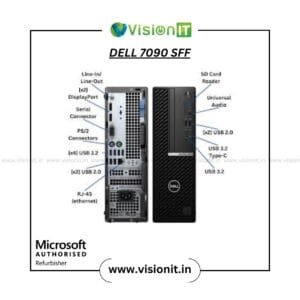
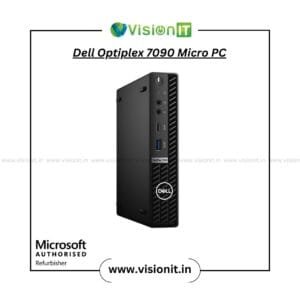
While laptops provide mobility, developer desktops often deliver greater performance and expandability. Consequently, many backend developers, DevOps engineers, and virtualization specialists prefer desktop workstations.
Developer desktops provide:
Better cooling and thermal management
Larger storage capacities
Multiple monitor support
Higher RAM upgrade potential
Improved performance for virtualization
Furthermore, desktop systems are excellent for long development sessions and resource-intensive projects.
MacBooks for Developers and Creative Professionals
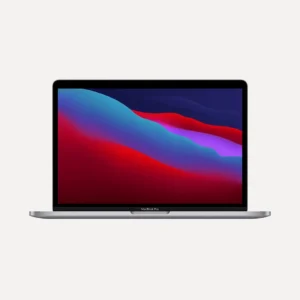
MacBooks remain a preferred choice among many software developers. In particular, they are highly recommended for iOS development, UI/UX design, and cross-platform development.
Benefits of MacBooks for developers include:
As a result, MacBooks continue to be a popular option among professional developers and creative users.
What to Look for in a Developer Laptop or Desktop
Choosing the right Laptops and Desktops for Developers requires understanding the hardware specifications that affect performance.
The processor determines how quickly your system handles coding tasks and application execution.
Recommended Options:
Therefore, selecting a modern processor helps reduce compile times and improves multitasking performance.
RAM directly affects how many applications you can run simultaneously.
Recommended RAM Capacity:
8GB RAM for basic coding
16GB RAM for professional development
32GB or higher for virtualization, AI, and machine learning
Additionally, upgradeable RAM ensures your system remains useful for years.
SSD storage is essential for modern development environments.
Benefits include:
Therefore, a minimum 512GB SSD is recommended for most developers.
GPU requirements vary depending on development tasks.
Integrated Graphics:
Web development
Backend development
Database management
Dedicated Graphics:
AI and machine learning
Game development
3D rendering
Data visualization
Consequently, developers should choose a GPU based on their project requirements.
Battery performance is especially important for remote workers and students.
Look for systems that provide:
7–10 hours of battery backup
Efficient power management
Reliable performance during travel
MacBooks and business-class laptops typically excel in this area.
Choosing Between macOS, Windows, and Desktop PCs
| Platform | Best For | Key Advantages |
|---|
| macOS (MacBook) | iOS and web development | Stable OS, excellent battery life |
| Windows Laptop | Full-stack and enterprise development | Broad software compatibility |
| Desktop PC | Backend development and virtualization | Maximum performance and upgradeability |
Meanwhile, developers who work extensively with Linux environments can use dual-boot configurations or virtualization solutions.
Additional Tips for Developers
To maximize productivity, consider the following recommendations:
Use SSD storage instead of traditional HDDs.
Choose at least a Full HD display.
Invest in a comfortable keyboard.
Keep your system properly maintained.
Use genuine software licenses.
Consider external monitors for multitasking.
Furthermore, regular hardware maintenance helps improve long-term reliability and performance.
Best Use Cases for Developer Systems
Our Laptops and Desktops for Developers are ideal for:
Therefore, users from various technical backgrounds can find suitable configurations for their requirements.
Why Buy from Vision IT Peripherals?
VisionIT Peripherals has extensive experience in providing IT hardware solutions for professionals, businesses, and educational institutions. Consequently, we understand the importance of reliability, performance, and affordability.
What We Offer
Thoroughly tested systems
Genuine Windows licenses
Original adapters and accessories
Warranty-backed devices
Affordable pricing
Expert product guidance
Multiple configuration options
Additionally, our team helps customers select systems based on actual workload requirements rather than unnecessary specifications.
As a Microsoft Authorised Refurbisher, we follow quality-focused processes and provide systems that meet professional standards. Therefore, customers can purchase with confidence and peace of mind.
Conclusion
Whether you are a student learning programming, a professional software engineer, or an experienced developer managing large-scale projects, choosing the right system is essential. Our collection of Laptops and Desktops for Developers includes Windows laptops, MacBooks, and high-performance desktop workstations designed to support modern development workflows.
Moreover, every system is selected to deliver reliable performance, upgrade flexibility, and excellent value. As a result, developers can focus on building, testing, and deploying applications without worrying about hardware limitations.