

Finding a reliable computer on a limited budget can be challenging for students, small businesses, schools and office users. Refurbished Desktops Under 20000 offer an affordable solution for people who need dependable computers without spending too much. Moreover, buyers can explore different Dell, HP and Lenovo desktop models under ₹10,000, ₹15,000 and ₹20,000.
Whether you need a computer for office work, online classes, billing, internet browsing or business activities, choosing the right configuration can help you save money. Additionally, different budget ranges offer different features for everyday requirements. Therefore, this guide explains suitable desktop models, important specifications and useful buying tips to help you make the right decision.
1. What to Expect When Buying Refurbished Desktops
Before purchasing a desktop, understand what each budget can offer. The price usually depends on the processor, RAM, storage, brand and physical condition.
For a better understanding, here is a simple comparison of different budget ranges.
| Budget | Expected Configuration | Best For |
|---|---|---|
| Under ₹10,000 | Older Core i3/i5, basic RAM and storage | Basic office work and browsing |
| Under ₹15,000 | Selected Core i5 models, 8GB RAM options | Schools and small offices |
| Under ₹20,000 | Newer processor generations, SSD and better configurations | Regular business and multitasking |
However, these are indicative price ranges. Actual prices and specifications depend on available models and configurations.
Moreover, buyers should compare different models before selecting a computer. When comparing Refurbished Desktops Under 20000, consider the processor, RAM, storage capacity and warranty before making your decision. This way, you can choose a suitable system without exceeding your budget.
2. Best Desktop Models Under ₹10,000
If your budget is below ₹10,000, you can explore older business desktops from Dell, HP and Lenovo. Additionally, these computers are suitable for basic daily activities when they have the right configuration.
Models worth comparing:
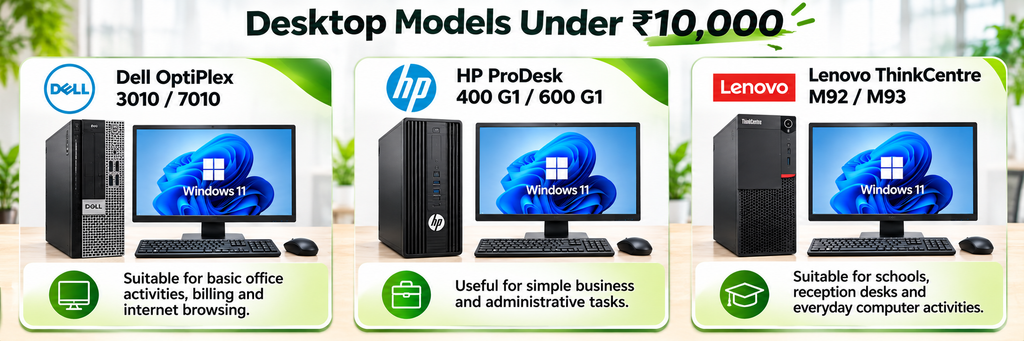
- Dell OptiPlex 3010 / 7010: Suitable for basic office activities, billing and internet browsing.
- HP ProDesk 400 G1 / 600 G1: Useful for simple business and administrative tasks.
- Lenovo ThinkCentre M92 / M93: Suitable for schools, reception desks and everyday computer activities.
What can you do with these desktops?
- Create documents and spreadsheets.
- Browse websites and check emails.
- Manage billing and basic accounting.
- Attend online classes.
- Complete simple office tasks.
For example, small shops can use these computers for billing and customer records. Similarly, students can use them for assignments and online learning.
Buying Tip: Try to choose a desktop with 8GB RAM and SSD storage if your budget allows. This combination can help the computer start faster and open applications more quickly.
However, avoid choosing a desktop based only on its price. Instead, compare its processor, storage and physical condition before purchasing.
3. Affordable Desktop Computers Under ₹15,000
The ₹10,000–₹15,000 budget offers more choices. Furthermore, you can explore selected 4th, 6th and 7th Generation business desktop configurations.
This price range is useful for small offices, educational institutions and growing businesses. Additionally, these desktops can support several regular workplace activities.
Models worth comparing:
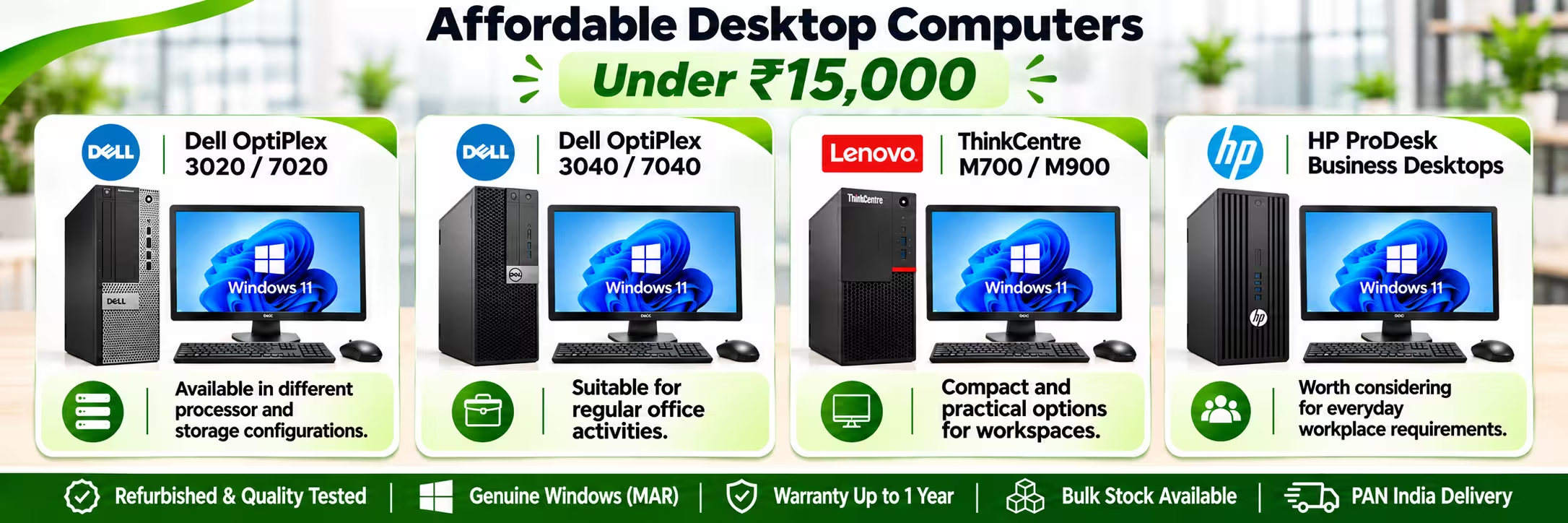
- Dell OptiPlex 3020 / 7020: Available in different processor and storage configurations.
- Dell OptiPlex 3040 / 7040: Suitable for regular office activities.
- Lenovo ThinkCentre M700 / M900: Compact and practical options for workspaces.
- HP ProDesk business desktops: Worth considering for everyday workplace requirements.
What can you do with these desktops?
- Work with Excel and other office applications.
- Use billing and accounting software.
- Manage customer information.
- Attend video meetings.
- Handle daily business activities.
For example, office employees can prepare reports and manage spreadsheets. Similarly, retail businesses can use these computers for billing and stock management.
For this budget, consider an Intel Core i5 processor, 8GB RAM and a 256GB SSD where available. However, always select a configuration according to your actual requirements.
As a result, you can get a suitable computer without spending more than necessary. These affordable refurbished desktop computers are especially useful for businesses that need multiple systems.
4. Refurbished Desktops Under ₹20,000: Models and Features
If you can spend up to ₹20,000, you can explore newer business desktop generations and selected compact computers. Moreover, this budget offers more options for users who need regular multitasking.
Buyers looking for Refurbished Desktops Under 20000 can compare different Dell, HP and Lenovo configurations based on their daily requirements.
Models worth comparing:
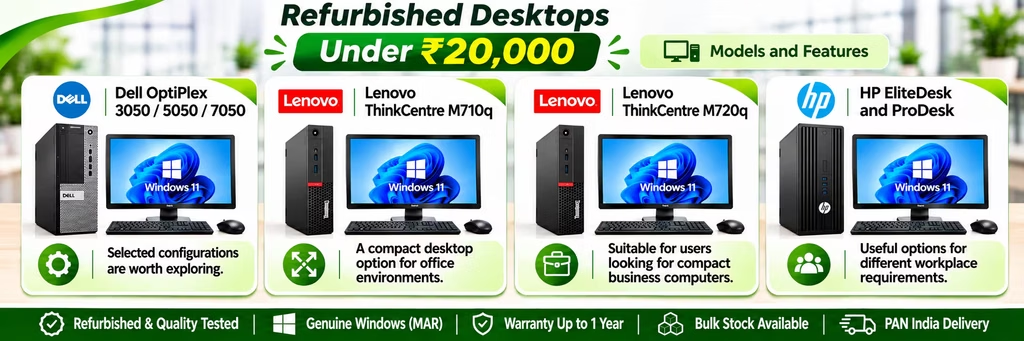
- Dell OptiPlex 3050 / 5050 / 7050: Selected configurations are worth exploring.
- Lenovo ThinkCentre M710q: A compact desktop option for office environments.
- Lenovo ThinkCentre M720q: Suitable for users looking for compact business computers.
- HP EliteDesk and ProDesk: Useful options for different workplace requirements.
What can you do with these desktops?
- Run office applications and business software.
- Handle regular multitasking.
- Prepare reports and spreadsheets.
- Manage online business tools.
- Support customer service and administrative activities.
For this budget, look for an 8th Generation Intel Core i5 configuration if available. Additionally, an 8GB RAM and 256GB SSD combination is a sensible starting point for many office users.
However, the best choice depends on your actual workload and available stock. Therefore, compare processor generation, RAM, SSD storage and warranty coverage before purchasing.
5. Desktop Cabinet or Complete Set: What Should You Buy?
Before purchasing, understand the difference between a desktop cabinet and a complete desktop set.
Some sellers provide only the desktop cabinet. On the other hand, others offer a complete set with additional accessories.
A complete desktop set may include:
- Desktop CPU cabinet
- Monitor
- Keyboard
- Mouse
- Required power cables
If you are setting up a new office or computer lab, purchasing a complete set can be more convenient. Additionally, it helps you arrange all the required equipment together.
However, if you already have a monitor, keyboard and mouse, purchasing only the desktop cabinet can help reduce your expenses.
For this reason, check your existing equipment before placing an order. Also, confirm which accessories the seller includes in the final price.
6. How to Choose the Right Budget Desktop Computer
A low price does not always mean a good deal. Therefore, check these important points before purchasing.
1. Processor: First, choose a processor according to your daily work. Core i3 can handle basic activities, while Core i5 is worth considering for regular multitasking.
2. RAM: Next, consider the RAM. Choose at least 8GB for a smoother experience with common office applications. Additionally, check whether future upgrades are possible.
3. Storage: Furthermore, prefer an SSD over an older hard drive. An SSD helps your computer start faster and makes applications open more quickly.
When comparing Refurbished Desktops Under 20000, an SSD and sufficient RAM should be among your main priorities.
4. Physical Condition: Also, check the cabinet, USB ports, display connections and other important parts. Ask the seller about the testing process before purchasing.
5. Windows Licence: Make sure the computer has a genuine and properly activated Windows licence. Therefore, avoid systems with unofficial or cracked software.
6. Warranty: In addition, check the warranty period, coverage and support process. Also, confirm which hardware problems are covered.
7. Upgrade Options: Finally, check whether you can increase RAM or storage later. This can help extend the useful life of your desktop.
Overall, comparing these points can help you avoid unnecessary expenses. More importantly, it can help you select a computer that suits your daily requirements.
7. Who Can Benefit from Affordable Desktop Computers?
Different users have different computer requirements. However, refurbished business desktops can be useful for several types of buyers.
Small Businesses and Offices
Small businesses often need multiple computers for employees. As a result, these systems can help reduce initial setup costs while supporting daily office work.
Schools and Colleges
Educational institutions need computers for students, teachers, computer labs and administration departments. Similarly, buying desktops within different budgets can help manage expenses.
Students
Students can use affordable desktop computers for assignments, online learning, presentations and internet browsing. Moreover, these systems can support many basic educational activities.
Retail Shops and Billing Counters
Shops and small businesses need computers for billing, stock management and customer records. Therefore, a suitable desktop can handle these regular activities.
Startups and Growing Companies
Startups may need several computers without spending their entire budget on new systems. Meanwhile, refurbished business desktops provide another affordable option.
In addition, companies can purchase multiple systems according to their employee requirements. This approach can help them manage their computer setup costs.
Therefore, Refurbished Desktops Under 20000 can be a practical choice for businesses, schools and individuals looking for affordable computing solutions.
8. Why Choose Vision IT for Refurbished Desktop Computers?
Choosing the right seller is just as important as choosing the right computer. A properly tested desktop, clear product details and warranty support can make your purchase more reliable.
Vision IT Peripherals Pvt. Ltd. provides refurbished IT hardware solutions for businesses, educational institutions and individual buyers.
Here are some important points to consider:
- Multiple Configurations: Explore different processor, RAM and storage options.
- Business-Class Computers: Choose from desktop models designed for regular workplace use.
- Warranty Options: Check the available warranty coverage for individual products.
- Genuine Windows Licensing: Vision IT is a Microsoft Authorized Refurbisher. Buyers can also explore genuine Windows licensing through
- Bulk Requirements: Businesses, schools and institutions can enquire about multiple desktop requirements.
Moreover, Vision IT helps businesses explore different desktop configurations, depending on available stock and requirements.
For this reason, businesses planning a computer setup can compare available models before making a purchase. You can explore the refurbished desktops and Tiny PCs collection to compare available models and configurations.
9. Frequently Asked Questions
FAQ 1. Which is the best refurbished desktop under ₹10,000?
Dell OptiPlex, HP ProDesk and Lenovo ThinkCentre models are worth considering. However, choose a suitable configuration with sufficient RAM and SSD storage.
FAQ 2. Can I get a Core i5 desktop under ₹15,000?
Yes, selected refurbished Core i5 desktop configurations are available in this budget. However, the processor generation, RAM and storage depend on the model.
FAQ 3. Is a refurbished desktop good for office work?
Yes. A properly tested desktop with suitable specifications can handle documents, spreadsheets, billing and emails. Additionally, it can support other regular office activities.
FAQ 4. Is it better to buy a desktop with SSD or HDD?
An SSD is generally a better choice for everyday use. This is because it helps the computer start faster and makes applications open more quickly.
FAQ 5. Do refurbished desktops come with a warranty and genuine Windows?
Warranty and Windows licensing depend on the seller and individual product. Therefore, always confirm the warranty period and genuine licence details before purchasing.
10. Final Thoughts: Which Budget Should You Choose?
Choosing the right desktop depends on your requirements and available budget.
- Under ₹10,000: Suitable for basic computer activities and everyday tasks.
- Under ₹15,000: A good range to explore for office work, schools and small businesses.
- Under ₹20,000: Worth considering if you want newer processor options and better multitasking performance.
Overall, choosing Refurbished Desktops Under 20000 can help students, offices and small businesses manage their computer budgets effectively. However, do not select a computer based on price or processor name alone. Instead, compare RAM, SSD storage, physical condition, Windows licensing and warranty before making your decision.
As a result, you can select a computer that offers better value for your money. A refurbished desktop can be a practical investment when you choose the right configuration from a reliable seller.
Finally, explore more computer-related guides on the Vision IT Blog and compare available desktops before making your purchase.
