



Dell G185T Power Supply – Reliable & Efficient Power Solution
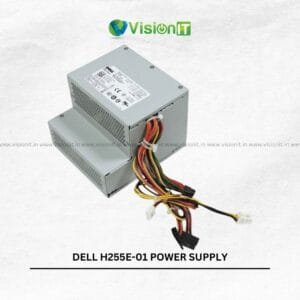
The Dell G185T Power Supply is designed to deliver consistent power to compatible Dell desktop systems. Since a reliable PSU supports system stability, it helps maintain proper power delivery to essential components. Whether replacing a faulty unit or restoring an existing desktop, this power supply offers a practical replacement solution.
Moreover, its cooling fan supports heat management during operation. The protection features also help safeguard connected hardware against electrical issues. Therefore, it can suit office desktops, business environments, and everyday computing requirements. However, always verify the original PSU model, wattage, connectors, and physical dimensions before purchasing. This ensures compatibility and supports safe installation.
Product Specifications
| Specification | Details |
|---|---|
| Brand | Dell |
| Model | G185T |
| Product Type | Desktop Power Supply |
| Product Condition | New |
| Cooling | Integrated Cooling Fan |
| Protection Features | Overvoltage, Short-Circuit and Thermal Protection* |
| Application | Compatible Dell Desktop Systems |
| Installation | Internal Desktop PSU |
Verify the specifications and protection features against the actual product label before publication.
Why Choose the Dell G185T Power Supply?
A desktop power supply plays an important role in system performance and reliability. Therefore, selecting a suitable replacement is essential when the original PSU becomes faulty.
The Dell G185T Power Supply is intended for compatible Dell desktop configurations. Moreover, it distributes electrical power to essential components, including the motherboard and connected hardware.
A damaged power supply can cause unexpected shutdowns, startup failures, and unstable operation. Consequently, replacing a faulty unit can help restore normal desktop functionality. However, users should check the original PSU specifications before installation.
Key Features of Dell G185T Power Supply
-
Reliable Power Delivery: Supports consistent power distribution to compatible desktop components. Consequently, it helps maintain stable system operation.
-
Electrical Protection: Protection features help guard against electrical faults. Additionally, thermal protection helps safeguard the power supply.
-
Integrated Cooling Fan: Supports airflow and heat management during operation. As a result, it helps maintain suitable operating temperatures.
-
Easy Installation: Supports straightforward replacement when connectors and dimensions match. Therefore, it simplifies routine desktop maintenance.
-
Energy-Efficient Design: Supports efficient power delivery to compatible systems. Moreover, efficient operation can help manage everyday electricity consumption.
Applications and Uses of Dell G185T Power Supply
The Dell G185T Power Supply can support different desktop repair and maintenance requirements. For example, businesses can consider it when replacing faulty power supply units in compatible Dell computers.
Office environments depend on desktop systems for documentation, communication, accounting, and business applications. Therefore, maintaining suitable replacement components helps reduce hardware downtime.
Similarly, educational institutions use desktop computers for administration, training, and computer laboratories. A compatible replacement PSU can help restore systems when their original power supply develops a fault.
Furthermore, computer repair professionals can consider this model for suitable desktop servicing requirements. However, they should verify the original part number, connector arrangement, and physical dimensions before installation.
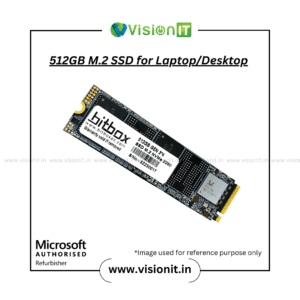
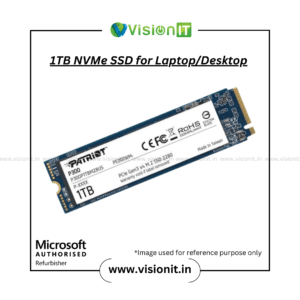
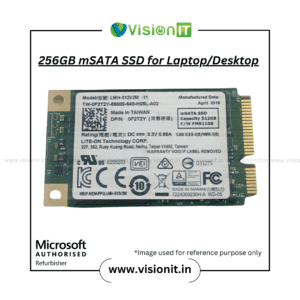
An SSD upgrade can also improve desktop responsiveness. For example, an SSD can reduce boot times and application loading times. Therefore, users can explore compatible storage upgrades alongside routine hardware maintenance.
Why Choose Vision IT Peripherals?
Vision IT Peripherals provides computer hardware and IT solutions for businesses and individual customers. Moreover, our product range supports desktop maintenance, hardware upgrades, and replacement requirements.
As a Microsoft Authorized Refurbisher, Vision IT Peripherals also supplies eligible refurbished computer systems. Additionally, customers can explore hardware components and accessories for different computing needs.
-
Wide Product Range: Explore power supplies, storage devices, RAM, processors, and other components.
-
Business IT Requirements: Find hardware solutions for SMEs, corporate offices, and educational institutions.
-
Refurbished Computer Systems: Explore eligible refurbished desktops, laptops, and workstations.
-
Genuine Software Options: Access genuine Windows licensing solutions for supported systems.
We Also Sell
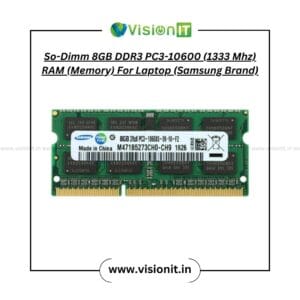
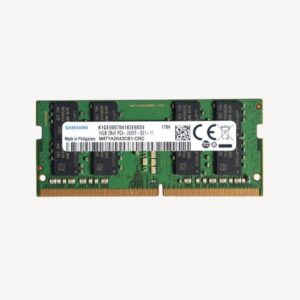
Along with Dell desktop power supplies, Vision IT Peripherals offers several computer components and accessories. Moreover, these products support desktop upgrades, repairs, and system maintenance.
Additionally, choosing compatible components helps maintain system reliability. Therefore, always compare specifications before selecting replacement hardware.
Frequently Asked Questions (FAQs)
FAQ 1. What is the Dell G185T Power Supply?
The Dell G185T is a desktop power supply designed for compatible Dell computer configurations. It provides electrical power to essential internal components. Therefore, it supports normal desktop operation.
FAQ 2. Is the Dell G185T compatible with every Dell desktop?
No. Compatibility depends on the desktop model, connectors, wattage, and physical dimensions. Therefore, check your original power supply details before purchasing.
FAQ 3. Does the Dell G185T Power Supply include cooling?
The supplied product description specifies an integrated cooling fan. This fan supports airflow and heat management during operation. However, confirm the actual product configuration before ordering.
FAQ 4. Can a faulty power supply cause unexpected shutdowns?
Yes. A damaged or unstable PSU can contribute to unexpected shutdowns and startup problems. However, motherboard faults and other hardware issues can cause similar symptoms. Therefore, proper diagnosis is important.
FAQ 5. Can I upgrade my desktop with an SSD?
Yes, provided the desktop supports the selected SSD interface and form factor. An SSD can improve boot times and application loading. Additionally, it can make everyday computing more responsive.
FAQ 6. What should I check before buying the Dell G185T?
Check the original model number, rated wattage, connectors, and physical dimensions. Furthermore, verify the electrical specifications against your desktop requirements. This helps prevent compatibility problems.
Order Your Dell G185T Power Supply Today
Choose a suitable replacement by checking your desktop model and original power supply specifications. Moreover, verify the connectors, wattage, and physical dimensions before installation. A correctly matched power supply helps support stable and reliable desktop operation.

Reviews
There are no reviews yet.