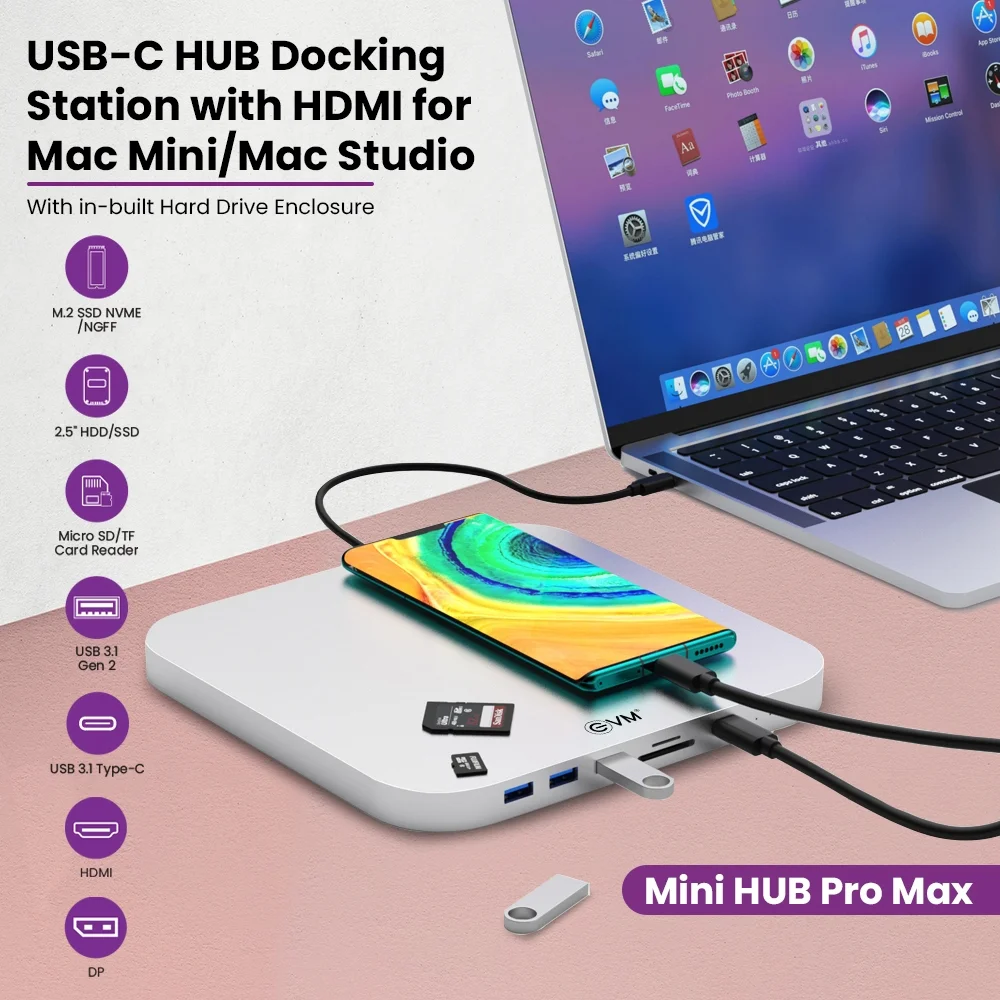

USB-C Hub Docking Station for Mac Mini with HDMI
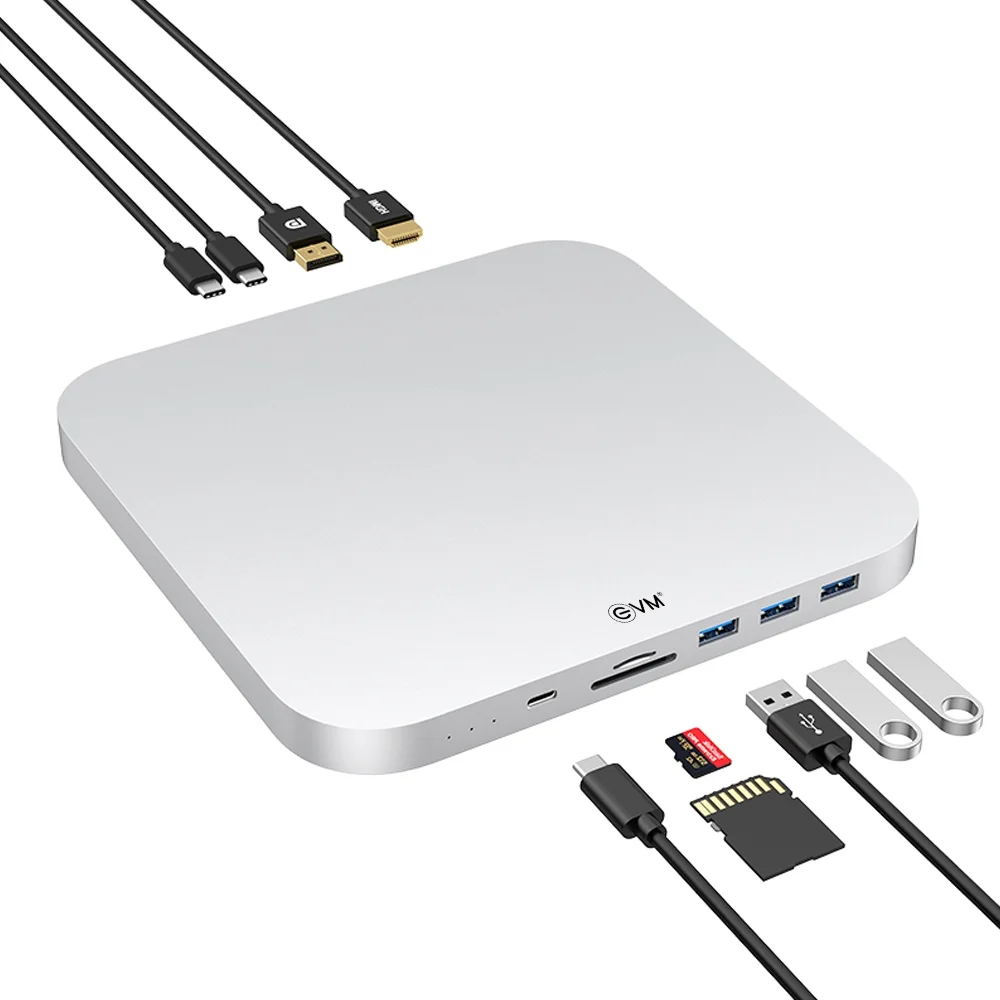
The USB-C Hub Docking Station for Mac Mini with HDMI expands connectivity and storage options for compatible Mac Mini setups. It is designed for professionals, developers, designers, content creators, and users who need additional ports and external display connections. With HDMI, DisplayPort, USB ports, card readers, and internal storage expansion slots, this hub can help organise essential peripherals around a compact workstation.
Moreover, supported high-resolution display output and additional storage options can make everyday workflows more convenient. The aluminium enclosure complements a desktop workspace while providing a compact form factor. However, display resolution, dual-monitor operation, and storage compatibility depend on the hub specifications and connected Mac model. Therefore, verify the supported Mac Mini generation, host connection, and display requirements before purchasing. VisionIT Peripherals offers computer accessories and compatibility guidance for customers upgrading their workstation setups.
USB-C Hub Docking Station for Mac Mini Specifications
| Specification | Details |
|---|---|
| Product Type | USB-C Hub / Docking Station |
| Intended Use | Compatible Mac Mini workstation expansion |
| Display Outputs | HDMI and DisplayPort |
| Display Resolution | Up to 8K at 30Hz or 4K at 60Hz, as supplied in product details |
| Dual Display | Dual 4K at 60Hz, subject to host and connection support |
| 2.5-Inch Storage | 1 × SATA HDD/SSD, less than 9mm thick |
| M.2 Storage | PCIe 3.0 NVMe / NGFF SATA, up to 2TB, as supplied |
| USB 3.1 Ports | 1 × Type-A and 1 × Type-C, up to 10Gbps |
| USB 3.0 Ports | 2 × Type-A, up to 5Gbps |
| Type-C Ports | 1 × input; 1 × 5V power |
| Card Readers | SD and microSD, up to 1TB each, as supplied |
| Dimensions | 197 × 197 × 15mm |
| Enclosure | Aluminium |
| Compatibility | Mac Mini models specified by the seller; confirm exact model |
USB-C Hub for Mac Mini with HDMI and DisplayPort
The USB-C hub provides HDMI and DisplayPort connections for compatible external monitors. These outputs can support high-resolution displays, depending on the hub’s specifications, connected equipment, and host computer.
For example, an external display can provide more workspace for spreadsheets, design applications, coding, and presentations. Additionally, a multi-display arrangement can make it easier to organise different applications.
However, maximum resolution and refresh rate depend on the complete display configuration. Check the manufacturer’s specifications before relying on simultaneous dual-display output.
Mac Mini Docking Station with SATA and M.2 SSD Expansion
This Mac Mini docking station offers storage expansion through a 2.5-inch SATA drive bay and an M.2 slot, according to the supplied specifications. Consequently, users can add compatible storage for documents, media libraries, project files, and backups.
The 2.5-inch bay supports SATA HDDs or SSDs less than 9mm thick. Meanwhile, the M.2 slot is listed as supporting PCIe 3.0 NVMe and NGFF SATA SSDs up to 2TB.
Nevertheless, M.2 compatibility depends on the slot design and supported drive type. Verify the drive interface, physical dimensions, and capacity before purchasing an SSD.
High-Speed USB Ports for Mac Mini Workstations
The hub includes USB ports for compatible external storage, peripherals, and accessories. According to the supplied details, the USB 3.1 Type-A and Type-C ports support transfer rates up to 10Gbps, while the two USB 3.0 Type-A ports support up to 5Gbps.
These connections can simplify access to external drives, keyboards, mice, and other compatible devices. Actual transfer speeds depend on the connected device, cable, and data workload.
Additionally, the listed Type-C input and 5V power-only ports serve different purposes. Check their labels before connecting accessories.
SD and microSD Card Readers for Media Transfers
The built-in SD and microSD card readers provide convenient access to compatible memory cards. Therefore, users can transfer photographs, videos, and other files without relying on a separate reader.
The supplied specifications list support for cards up to 1TB in each reader. However, actual compatibility depends on the card format and the hub’s supported specifications.
Aluminium Design for Mac Mini and Mac Studio Setups
The hub measures 197 × 197 × 15mm and features an aluminium enclosure, according to the supplied product details. Its compact footprint can help keep essential connections together on a desktop.
Moreover, the integrated design can reduce the need for multiple separate adapters. Before purchasing, check the dimensions and physical arrangement to ensure the hub suits your workspace.
Mac Mini Hub Compatibility and Professional Use
The supplied description lists compatibility with Mac Mini 2018 and 2020 models. Confirm the exact model and host connection before ordering, particularly if you intend to use dual displays or install internal storage.
This docking station may suit developers, designers, office users, and content creators who need extra ports and storage options. Nevertheless, supported features can vary by Mac model, macOS version, display configuration, and connected peripherals.
Why Buy Accessories from VisionIT Peripherals?
VisionIT Peripherals supplies computer accessories and IT hardware for individual users and businesses. Customers can explore hubs, adapters, cables, storage products, and other computing accessories.
Additionally, VisionIT offers a range of laptops and MacBooks for different requirements. Confirm product availability, compatibility, and specifications before making a purchase.
We Also Sell
- Computer Accessories
- SSD and HDD Storage
- RAM for Laptops and Desktops
- Apple MacBook
- Pre-Owned Laptops
- Genuine Microsoft Windows Licences
Frequently Asked Questions About USB-C Hub Docking Station for Mac Mini
1. Does this Mac Mini docking station support dual displays?
The supplied specifications list dual 4K at 60Hz output. Confirm that your Mac model, operating system, displays, and connection configuration support this arrangement.
2. Can I install an SSD in this USB-C hub?
The supplied details list a 2.5-inch SATA drive bay and an M.2 slot supporting NVMe and NGFF SATA drives. Verify the interface and physical requirements before installation.
3. Is this hub compatible with Mac Mini 2018 and 2020?
The supplied description lists both models. Confirm the exact model and connection requirements with the seller before purchasing.
4. What is the maximum supported display resolution?
The supplied specifications list up to 8K at 30Hz or 4K at 60Hz. Actual output depends on the connected Mac, monitor, cable, and display configuration.
5. Can I use this hub for professional work?
It may suit professional workflows that benefit from additional USB ports, card readers, storage expansion, and external displays. Check compatibility with your specific applications and equipment.
Order Now
Upgrade your compatible Mac Mini workstation with the USB-C Hub Docking Station for Mac Mini with HDMI. Contact VisionIT Peripherals to confirm availability, Mac compatibility, supported display configurations, and SSD requirements before ordering.