

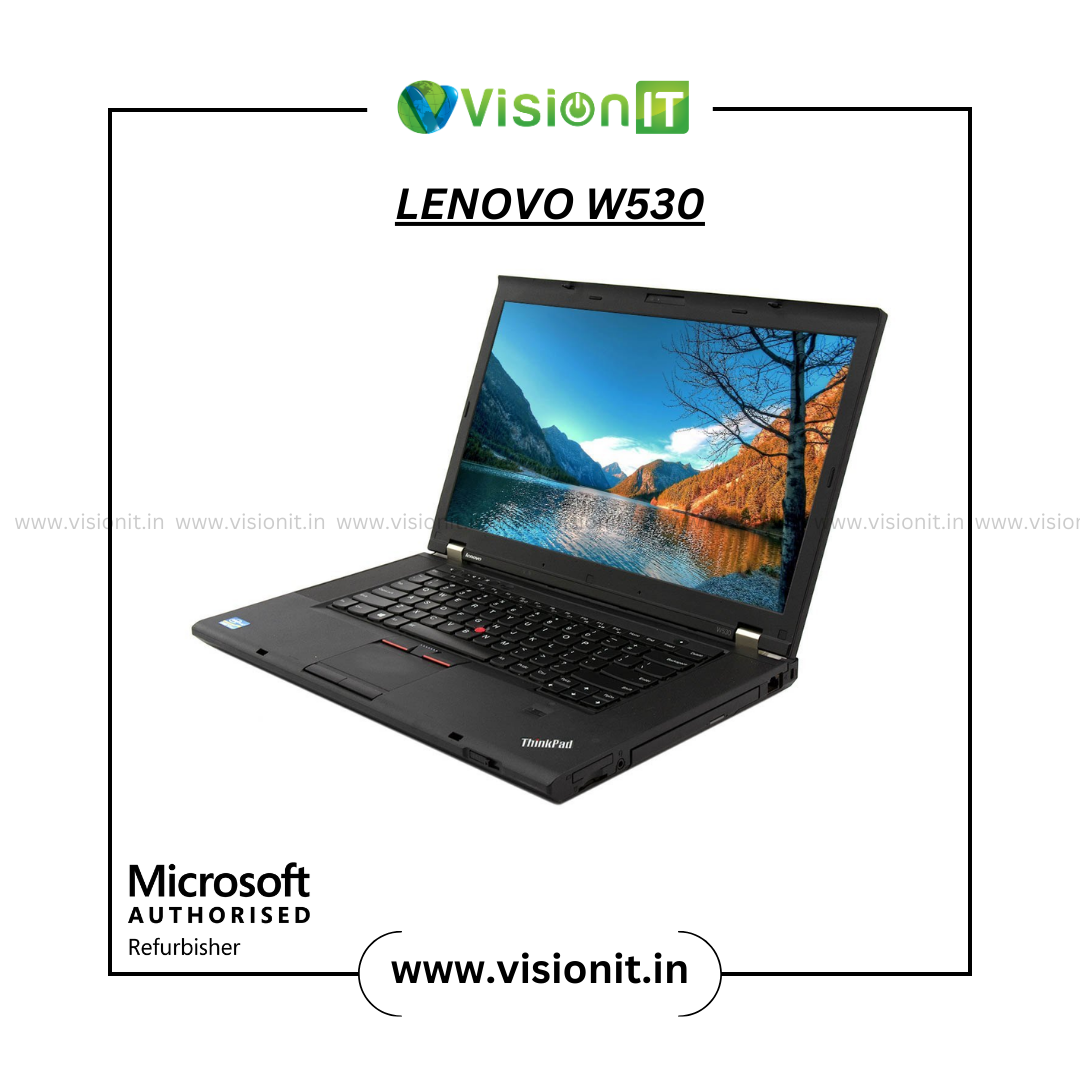
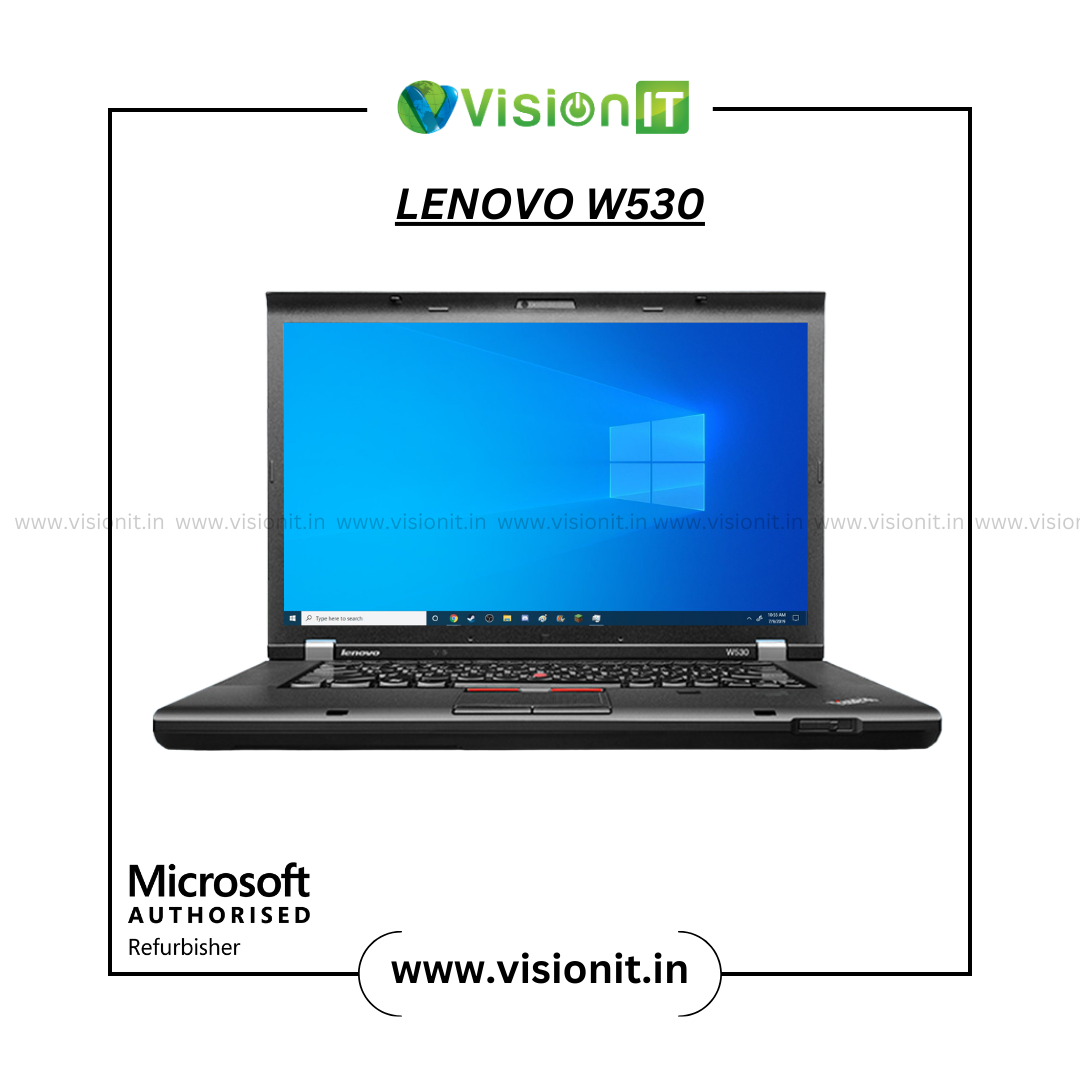
Lenovo ThinkPad W530 | Intel Core i7|3720QM | Custom RAM & SSD; Preloaded Windows10 Pro | Best for Creators & Professionals
The Lenovo ThinkPad W530, powered by Intel Core i7-3720QM, delivers powerful performance for creative professionals and business users. With customizable RAM and SSD options, it is perfect for heavy multitasking and demanding applications. Preloaded with Windows 10 Pro, this laptop ensures productivity, reliability, and durability for professionals in need of a robust workstation.
- Will be delivered within 3-5 working days.
- Price Includes shipping costs for Retail Buyers.
- Pick up at a VisionIT collection point is also possible.
- Returns accepted within 7 days if unsatisfied.
- Support available 10:00 AM – 7:00 PM.
Additional information
| Memory | 16GB DDR4, 8GB DDR4 |
|---|---|
| Storage | 128GB SSD, 1TB SSD, 256GB SSD, 512GB SSD |
| WARRANTY | 1 Year Warranty, 3 Months Warranty |
| Generation | 3rd Gen |
Description
Best Lenovo Laptop for Professionals – Lenovo ThinkPad W530
Looking for a high-performance workstation at an affordable price? The Refurbished Lenovo ThinkPad W530 is a top choice for professionals, creators, students, and developers. Built to handle demanding applications, this laptop is perfect for CAD software, video editing, programming, and more.
Powerful Performance with Intel Core i7
Powered by the Intel Core i7 3720QM processor, the Lenovo ThinkPad W530 Laptop offers superior performance for multitasking and complex workloads. Whether you’re rendering 3D graphics, compiling code, or editing videos, this laptop delivers smooth and reliable performance every time.
Vivid Display & Robust Build
The Lenovo W530 Laptop features a sharp 15.6-inch display that’s perfect for creators and designers who need color accuracy and clarity. Known for its rugged build, the ThinkPad series is ideal for professionals who need reliability during long hours of work.
Custom RAM & SSD Options
At VisionIT Peripherals, we understand that every professional has different needs. That’s why the Refurbished Lenovo ThinkPad W530 supports custom RAM and SSD configurations. You can choose from various options to get the storage and speed you require.
- RAM Options: 8GB, 16GB, 32GB DDR3
- Storage Options: 128GB, 256GB, 512GB, 1TB SSD
Explore our RAM and SSD categories for more upgrade options.
Genuine Software & Reliable Warranty
As a Microsoft Authorised Refurbisher, VisionIT ensures every unit of the Best Refurbished Laptop is tested and restored for top-notch performance. Want a secure and legal Windows experience – Purchase your genuine Windows license directly from www.tpr.visionit.in.
Choose from flexible warranty plans:
- 3-Month Warranty
- 1-Year Warranty
Lenovo ThinkPad W530 Specifications
| Feature | Details |
| Processor | Intel Core i7 3rd Gen 3720QM |
| RAM Options | 8GB, 16GB, 32GB DDR3 |
| Storage Options | 128GB, 256GB, 512GB, 1TB SSD |
| Display Size | 15.6-inch Anti-Glare |
| Graphics | Integrated & Optional NVIDIA Options |
| Battery Life | Up to 6 hours with power management settings |
| Ports & Connectivity | USB 3.0, VGA, Mini DisplayPort, Ethernet, Wi-Fi |
| Operating System | Windows 10 Pro (Preloaded) |
| Condition | Fair or Good – depending on model availability |
Why Choose the Refurbished Lenovo W530 Laptop?
- Top-Tier Performance: The Lenovo ThinkPad W530 offers unmatched power for multitasking and creative software.
- Durability You Can Trust: Built with ThinkPad-grade materials, it’s designed to last.
- Expandable Hardware: Upgrade RAM and SSD anytime to keep up with your growing needs.
- Budget-Friendly: One of the Best Laptops Under Rs. 20,000, starting at just Rs. 26,690!
- Eco-Conscious Choice: Choosing a Refurbished Lenovo Laptop helps reduce e-waste and supports sustainability.
- Customizable Options: From processor to storage, tailor the machine as per your project demands.
Best RAM & SSD Options at Low Prices for Boosting Your PC/Laptop
If you already own a laptop or PC and want to make it faster, VisionIT offers high-quality RAM and SSD upgrades at affordable prices. Our upgrades are compatible with the Best Laptop and many other models. Enhance boot times, improve speed, and extend your device’s lifespan without buying a new one.
- Explore RAM Options
- Explore SSD Options
Best Laptop and Computer Rental Services in Mumbai, India
For companies and individuals who need computing power without the commitment of purchase, VisionIT Peripherals provides rental services for laptops, desktops, and iMacs in Mumbai and across India. Whether it’s for your office setup, educational training, or creative workstations, our rental solutions are dependable, flexible, and budget-friendly.
Note: The Lenovo ThinkPad W530 is not available for rent. However, VisionIT Peripherals offers a wide range of other laptops, desktops, and iMacs for rental. Explore options here: Rental Services
Who Should Buy the Lenovo W530 Laptop?
- Students: Looking for the Best Student Laptop with strong performance for technical studies.
- Designers and Creators: Need reliable specs for Adobe Suite, AutoCAD, and similar tools.
- IT Professionals: Who want a capable machine under a tight budget.
- Startups & Small Businesses: Require a powerful yet low-cost solution for staff.
Order Now – Lenovo ThinkPad W530 Price Starting Rs. 26,690!
If you’re searching for the Best Lenovo Laptop that balances performance, durability, and price, the Lenovo ThinkPad W530 is an unbeatable choice. Don’t miss out on this high-value workstation under Rs. 30,000.
Buy Now from VisionIT Peripherals – Trusted Experts in Refurbished Tech!
Frequently Asked Questions (FAQ)
Q1: What is the battery life of the Lenovo ThinkPad W530
A: The W530 offers up to 6 hours of battery life with power management settings. Laptop Mag
Q2: Can I upgrade the RAM and SSD on the Lenovo ThinkPad W530
A: Yes, the W530 supports RAM upgrades up to 32GB DDR3 and various SSD options.
Q3: Is the Lenovo ThinkPad W530 suitable for students?
A: Absolutely. It’s considered one of the Best Student Laptops due to its performance and affordability.
Q4: Does VisionIT offer rental services for the Lenovo ThinkPad W530
A: No, the W530 is not available for rent. However, other laptops, desktops, and iMacs are available for rental.
Q5: Where can I find more refurbished laptops under Rs. 20,000
A: Explore our Refurbished Laptops Category for more options.
For more information or to explore our full range of products and services, visit VisionIT Peripherals.






Devansh Luthra –
Main is laptop par data analysis reports prepare karta hoon.
Preethi Namboothiri –
Business tasks adequately handle hote hain.
Ishani Mathur –
Main is system ko freelance consulting work ke liye use karta hoon.
Sahana Vasudevan –
Business workflows practically manage ho jate hain with consistent performance.
Arjun Mehra –
Functional device option for regular office usage.
Pradeep Vasudevan –
Study materials easily access ho jate hain.
Ananya Balaji –
Office coordination activities properly support hoti hain.
Mahi Bhagat –
Productivity usage remains stable throughout daily activities.
Adarsh Narayanan –
Main is device ko project planning assignments ke liye use karta hoon.
Vikrant Mallick –
Main is device ko engineering documentation work ke liye use karta hoon.
Arvind Krishnamurthy –
Laptop performs efficiently during multitasking-heavy workloads.
Tejas Bhandari –
Storage customization helps accommodate growing project files easily.
Raghav Taneja –
System performance remains acceptable and steady.
Faiz Ahmed –
Device remains stable while handling complex office tasks.
Suresh Venkatesh –
RAM expansion provides flexibility for future workload requirements.
Kabir Bhasin –
Main is system par technical documentation create karta hoon regularly.
Harshil Bansal –
Main is system par research-based reports organize karta hoon efficiently.
Myra Awasthi –
Overall usage provides a balanced and satisfactory experience.
Ved Mallick –
Storage flexibility supports expanding project requirements.
Yuvan Chawla –
Main is workstation ko design-related projects ke liye use karta hoon with reliable performance.
Dhruv Arora –
Task switching remains moderately smooth during daily work.
Vanya Sachdeva –
System remains productive during long operational sessions.
Harini Srinivasan –
Main is laptop par operational records maintain karta hoon easily.
Sana Ahmed –
Documentation tasks perform at the expected level.
Aviral Suri –
Productivity tools remain consistent during regular work.
Naksh Ahuja –
Lenovo ThinkPad W530 handles demanding productivity tasks better than expected.
Tanya Arora –
Study usage provides a practical experience.
Kunal Bhagat –
RAM upgrades help improve application performance during heavy usage.
Avni Bhasin –
Basic performance feels stable during normal workloads.
Naveen Chandran –
Core i7 3720QM delivers strong processing power for professional workloads.
Ayaan Chandra –
Storage upgrades contribute to smoother productivity workflows.
Aditya Bhasin –
Device remains useful for content creation and office work.
Abeer Khanna –
Daily workflow execution remains practical and simple.
Aarohi Choudhary –
Main is laptop ko educational content development ke liye use karta hoon.
Atharv Raghunath –
Office operations smoothly continue during regular use.
Aashi Chawla –
Laptop handles business-critical workloads comfortably.
Riddhi Anand –
Device supports professional-grade productivity environments.
Prisha Chandra –
System remains dependable for project-focused users.
Vishal Srinivasan –
File organization manageable lagta hai for routine needs.
Rhea Vashisht –
Daily productivity remains manageable for common requirements.
Harish Namboothiri –
Productivity applications remain responsive during intensive usage.
Kshitij Kadam (verified owner) –
I am Frequent Buyer of Vision IT, alway gives me good quality Product
Yashraj Khandelwal –
Windows 10 Pro works smoothly with professional software tools.
Meera Mallick –
Main is device par planning and forecasting work karta hoon regularly.
Lakshmi Chandran –
Workable option for academic usage and learning needs.
Saanvi Bedi –
SSD upgrades make project files load much faster.
Ishaan Mathur –
Processing speed feels suitable for professional work environments.
Shanaya Taneja –
Daily usage remains consistent and reliable.
Kavya Mahajan –
Laptop handles multiple open applications effectively.
Mahira Siddiqui –
Device creates a productive environment for professionals.
Sarthak Goyal –
Coursework tasks efficiently complete ho jate hain.
Tanish Gaur –
Laptop remains practical for intensive business activities.
Om Rathi –
System delivers consistent performance throughout the day.
Ayaan Sheikh –
Academic work easily manage ho jata hai.
Shaurya Bedi –
Study workflows adequately support hote hain for regular learning activities.
Pranav Anand –
Performance remains dependable during extended working hours.
Anaya Pradhan –
Main is system ko freelance consulting work ke liye use karta hoon.
Navya Khandelwal –
Main is device par client database management karta hoon efficiently.
Rishabh Bhatia –
SSD upgrades reduce waiting time during file access.
Shaan Grover –
System manages multiple productivity tools simultaneously with smooth performance.
Advait Bhalla –
RAM customization helps support memory-intensive applications efficiently.
Shreya Bansal –
System remains reliable while managing large datasets.
Vaishnavi Venkatesh –
Workflow handling remains manageable for users.
Diya Luthra –
Workload handling remains effective up to a moderate level.
Pari Mehra –
Main is laptop ko client presentation preparation ke liye use karta hoon.
Neil Sachdeva –
Information handling remains manageable for daily usage.
Kavitha Madhavan –
Learning tasks adequately support hote hain.
Samar Dhingra –
Reliable option for creators, analysts, and office users.
Zara Qureshi –
Performance remains stable during demanding workloads.
Nitya Khurana –
Main is laptop ko content preparation work ke liye use karta hoon comfortably.
Rehaan Qureshi –
Device remains stable while handling complex office tasks.
Anushka Gaur –
Main is device par large spreadsheets process karta hoon regularly without issues.
Kiara Raghunath –
Office coordination activities properly support hoti hain.
Rudransh Awasthi –
Windows 10 Pro comes properly configured before first use.
Aadhya Bhalla –
System performance remains acceptable and steady.
Inaya Sheikh –
Main is system ko remote professional assignments ke liye use karta hoon.
Gokul Raman –
Business workflows practically manage ho jate hain with consistent performance.
Ronav Puri –
Documentation tasks perform at the expected level.
Nandita Raman –
Main is system par technical documentation create karta hoon regularly.
Aanya Bhatnagar –
Main is device ko engineering documentation work ke liye use karta hoon.
Zayan Siddiqui –
Basic performance feels stable during normal workloads.
Naman Sethi –
File processing provides reliable performance.
Manav Khurana –
Provides suitable performance for routine office tasks.
Ishita Khanna –
Main is workstation ko design-related projects ke liye use karta hoon with reliable performance.
Keerthana Narayanan –
RAM expansion provides flexibility for future workload requirements.
Naina Grover –
Task switching remains moderately smooth during daily work.
Karthik Balaji –
Storage flexibility supports expanding project requirements.
Parth Mahajan –
Lenovo ThinkPad W530 handles demanding productivity tasks better than expected.
Reyansh Pradhan –
Study usage provides a practical experience.
Alisha Puri –
Main is laptop par data analysis reports prepare karta hoon.
Hiba Khan –
Storage flexibility allows better management of large project files.
Kartik Singhania –
Functional device option for regular office usage.
Arham Khan –
Storage upgrades contribute to smoother productivity workflows.
Aaryan Vashisht –
Main is device ko project planning assignments ke liye use karta hoon.
Rahul Madhavan –
System remains dependable for project-focused users.
Aarav Bhatnagar –
Basic multitasking comfortably handle ho jata hai.
Arnav Bhasin –
Daily productivity remains manageable for common requirements.
Siya Dhingra –
Windows 10 Pro works smoothly with professional software tools.
Vihaan Choudhary –
Device supports demanding productivity requirements effectively.
Divya Krishnamurthy –
Laptop handles multiple open applications effectively.
Charvi Sethi –
Device supports advanced office workflows effectively.