Choosing between an Apple MacBook and a Windows laptop in 2026 depends on your budget, daily workload, and long-term requirements. Students, business owners, working professionals, content creators, and gamers all need different features. MacBooks offer Apple Silicon performance, strong battery efficiency, and seamless integration with Apple devices.
Meanwhile, Windows laptops provide a wider range of prices, hardware configurations, and software compatibility. However, neither platform is the best choice for everyone. This guide compares MacBooks and Windows laptops based on performance, design, battery life, software, gaming, pricing, and refurbished options. By understanding these differences, you can choose the laptop that best suits your needs.
Why Choosing the Right Laptop Matters in 2026
A laptop is an important investment for work, education, and entertainment. The right device can improve productivity and reduce unnecessary expenses. However, choosing a laptop without considering your requirements can lead to compatibility problems or poor value.
Before buying, evaluate these factors:
- Performance: Choose hardware that supports your applications and workload.
- Software compatibility: Check whether your essential applications run on macOS or Windows.
- Battery life: Consider how long you work away from a power outlet.
- Budget: Compare the total cost, including accessories and repairs.
- Portability: Consider the laptop’s weight, screen size, and charger.
- Upgradeability: Check whether the RAM and storage can be upgraded.
- Long-term value: Consider warranty coverage, software support, and repair costs.
These factors help you select a laptop that meets your current needs and supports your future plans.
Apple MacBook vs Windows Laptop: Quick Comparison
| Feature | Apple MacBook | Windows Laptop |
|---|---|---|
| Operating system | macOS | Windows |
| Price range | Generally premium | Budget to premium |
| Hardware options | Limited Apple lineup | Wide choice of brands and configurations |
| Battery life | Often excellent on Apple Silicon models | Varies by model and hardware |
| Creative applications | Strong for many creative workflows | Strong, with broad software options |
| Gaming | More limited game compatibility | Generally the stronger choice |
| Business software | Supports many business applications | Broad compatibility across industries |
| Customization | More restricted | Greater flexibility |
| Hardware upgrades | Limited on most modern models | Available on selected models |
| Repair costs | Can be expensive | Vary by brand, model, and repair |
| Apple device integration | Excellent | Depends on the devices and software used |
| Budget flexibility | More limited | Extensive options |
Both platforms offer capable laptops. The best choice depends on the specific model, rather than the brand alone.
Design and Build Quality
Design affects comfort, portability, and everyday use. Both platforms offer lightweight laptops and premium designs, but their hardware choices differ.
Apple MacBook
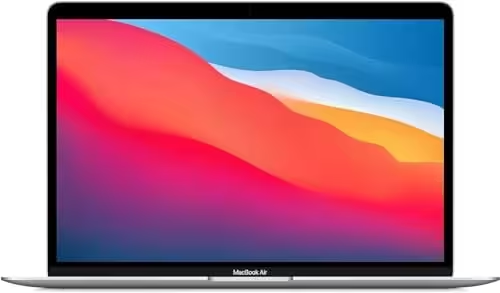
MacBooks feature an aluminum design, a large trackpad, and a clean, minimalist appearance. MacBook Air models suit users who travel frequently, while MacBook Pro models target demanding professional workflows.
Their compact design makes them suitable for meetings, travel, and working remotely. However, buyers should check the available ports and display size before choosing a model.
Windows Laptop
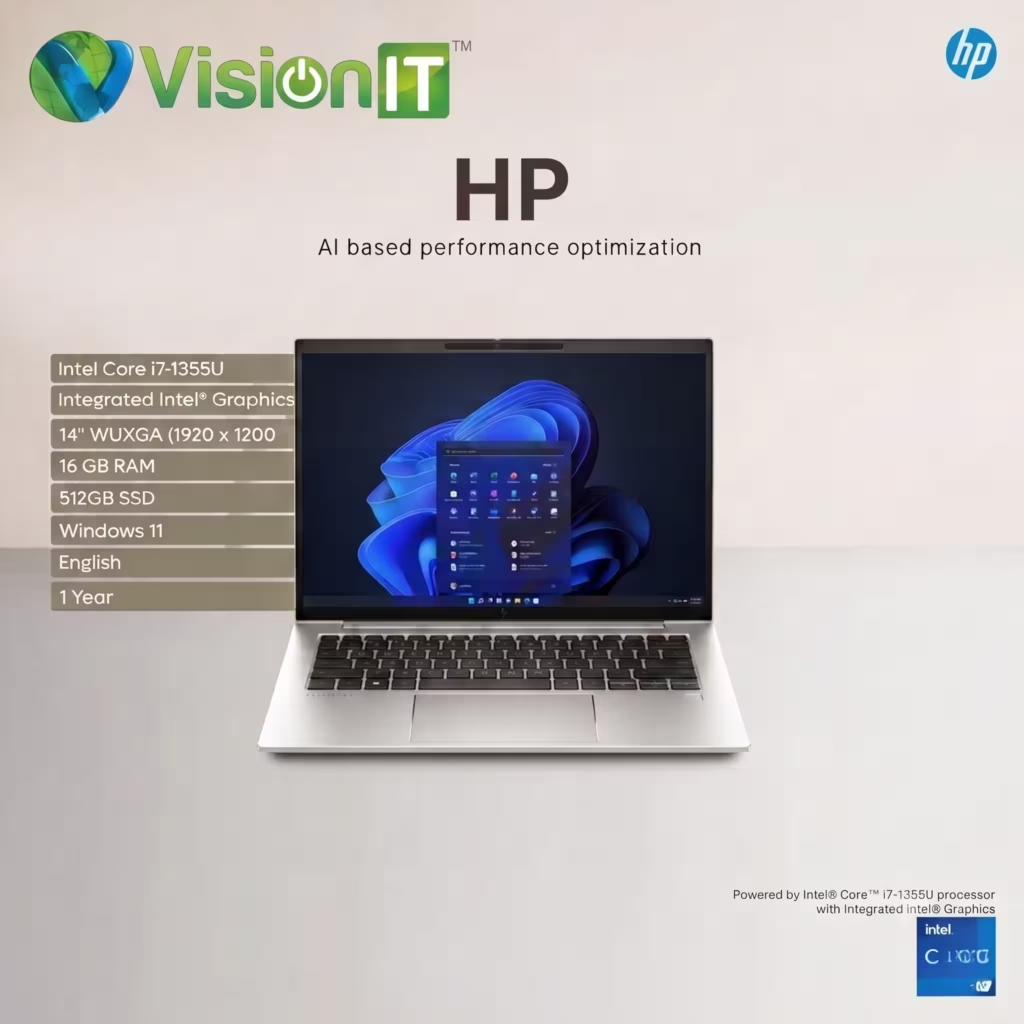
Windows laptops are available from brands such as Dell, HP, Lenovo, ASUS, and Acer. Buyers can choose from affordable student laptops, business notebooks, gaming machines, and mobile workstations.
This variety makes Windows suitable for people with different budgets and requirements.
Winner: MacBook for a consistent premium design; Windows for greater hardware choice.
Performance Comparison
Performance depends on the processor, memory, cooling system, graphics hardware, and software you use.
MacBook Performance
Apple Silicon processors combine CPU, GPU, and other computing capabilities within a power-efficient architecture. They perform well in many creative applications, programming workflows, and everyday productivity tasks.
For example, the MacBook Air M4 offers strong processing capabilities, hardware-accelerated media functions, and unified memory configurations. Actual performance depends on the application and selected configuration.
Windows Laptop Performance
Windows laptops offer processors from Intel and AMD, along with integrated and dedicated graphics options. This range lets buyers choose hardware for basic office work, professional applications, gaming, or demanding engineering workloads.
A business laptop with a modern processor and SSD can handle everyday productivity efficiently. Meanwhile, a laptop with a dedicated GPU may suit video editing, 3D rendering, and gaming.
Which Performs Better?
Neither platform wins every performance comparison. Compare specific laptop models and application benchmarks rather than relying on the brand name alone.
Best Laptop for Different Tasks
| Task | Recommended option |
|---|---|
| Everyday office work | Both |
| Video editing | Both, depending on software and hardware |
| Graphic design | Both |
| Programming | Both |
| Gaming | Windows, generally |
| Business and accounting software | Windows often offers broader compatibility |
| Travel and mobile productivity | MacBook or a lightweight Windows laptop |
| Engineering and CAD | Depends on the software and GPU requirements |
| Budget computing | Windows offers more options |
Software Compatibility
Software compatibility can determine which laptop you should buy. Before choosing a platform, check whether your essential applications support macOS or Windows.
MacBook Software
MacBooks support many popular applications for productivity, programming, photography, video editing, and music production.
Common examples include:
- Microsoft 365 applications
- Adobe Photoshop and Premiere Pro
- Final Cut Pro
- Logic Pro
- Development tools such as Xcode
MacBooks also integrate with Apple devices. Features such as iCloud, AirDrop, and device continuity can make workflows convenient for people using an iPhone or iPad.
However, some Windows-only business applications may require an alternative, remote desktop, or another compatible solution.
Windows Laptop Software
Windows supports a broad range of business, educational, and professional applications, including:
- Microsoft Office and Microsoft 365
- Accounting and ERP software
- CRM applications
- Engineering and CAD tools
- Business management software
- A wide selection of games
For businesses, always verify compatibility with your existing software, peripherals, and IT systems.
Winner: Windows for broad compatibility across many business environments. MacBook is excellent when your required applications support macOS.
Gaming Experience
Gaming is one area where Windows laptops generally offer more flexibility.
Gaming on Windows
Windows laptops are available with dedicated NVIDIA and AMD graphics hardware. Many gaming models also offer high-refresh-rate displays, advanced cooling, and configurable performance modes.
The Windows gaming ecosystem supports a large selection of PC games and gaming accessories. However, performance depends on the laptop’s GPU, processor, cooling, and game settings.
Gaming on MacBook
MacBooks can run a growing selection of games, including titles optimized for macOS. However, game availability, graphics options, and compatibility vary by title.
If gaming is your main priority, compare the games you want to play with the supported platforms before buying.
Winner: Windows for most gaming users.
Battery Life and Portability
Battery life matters if you attend meetings, travel, study on campus, or work away from a desk.
MacBook Battery Life
Apple Silicon MacBooks are known for their power efficiency. For example, Apple rates the 13-inch MacBook Air M4 for up to 18 hours of video streaming under specified test conditions. Actual battery life varies with settings and usage.
Windows Laptop Battery Life
Windows laptop battery performance varies significantly by model. Lightweight ultrabooks can offer excellent endurance, while gaming laptops typically consume more power under demanding workloads.
Screen brightness, background applications, processor type, and dedicated graphics usage can also affect battery life.
Winner: MacBook often has an advantage in battery efficiency, but compare independent tests of the specific models you are considering.
Price and Overall Value
The purchase price is an important factor, particularly for students, startups, and businesses buying multiple computers.
MacBook Price and Value
MacBooks generally occupy the premium segment, although Apple’s lineup includes different models and configurations. Their appeal includes performance, design, battery efficiency, and integration with Apple devices.
However, the initial cost can be higher than that of many Windows alternatives. Also, memory and storage upgrades may increase the purchase price.
Windows Laptop Price and Value
Windows laptops cover a broad price range. Buyers can choose entry-level systems, mid-range productivity laptops, premium ultrabooks, or powerful workstations.
This flexibility makes Windows attractive to people who need to match hardware specifications to a fixed budget.
Consider the total cost of ownership, including accessories, software, warranty, repairs, and future upgrades.
Winner: Windows for budget flexibility and choice.
Upgradeability, Maintenance, and Repair Costs
Upgradeability can affect a laptop’s usable lifespan and long-term costs.
MacBook
Modern MacBooks generally have integrated memory and storage configurations that buyers should choose carefully at purchase. Repairs may require specialized parts and service.
Before buying, select sufficient RAM and storage for your expected workload. Also, check warranty terms and repair options.
Windows Laptop
Some Windows laptops allow RAM or SSD upgrades, while others use soldered components. Business laptops may offer convenient maintenance options, but this varies by model.
Check the manufacturer’s service documentation before assuming that a component is upgradeable.
Winner: Windows offers more upgrade options across its overall range, but individual models must be checked.
Which Laptop Is Better for Students?
Students should consider their courses, software requirements, budget, and portability needs.
Choose a Windows laptop if you:
- Need specific engineering or educational software.
- Want a wider range of affordable models.
- Prefer more hardware configurations.
- Need compatibility with institution-provided applications.
Choose a MacBook if you:
- Already use Apple devices.
- Value battery life and portability.
- Study design, photography, music, or video production.
- Confirm that your required applications support macOS.
For students, a suitable mid-range Windows laptop can provide excellent value. A MacBook can also be a strong investment when its features match the course requirements.
Which Laptop Is Better for Professionals?
The best choice depends on your profession and daily workflow.
| Profession | What to consider |
|---|---|
| Graphic designers | Display quality, RAM, and creative software compatibility |
| Video editors | CPU, GPU, memory, storage, and editing application |
| Programmers | Development environment, operating system, and project requirements |
| Accountants | Accounting software, spreadsheets, and business compatibility |
| Corporate employees | IT policies, security, and company applications |
| Content creators | Editing performance, screen quality, and portability |
| Engineers | CAD software requirements, GPU, and certified hardware support |
MacBooks suit many creative and software development workflows. Windows laptops may be more practical for specialized enterprise applications and certain engineering tools.
Which Laptop Is Better for Businesses and Enterprises?
Windows laptops are common in business environments because companies can choose from many vendors, configurations, and price points. They also support a broad range of enterprise applications and IT management tools.
MacBooks can be suitable for businesses that use macOS-compatible software and have the systems to manage Apple devices.
When buying laptops for a team, compare:
- Total cost per employee
- Compatibility with business software
- Security and device management
- Warranty and support
- Availability of replacement units
- Standardization across the organization
The best choice depends on your company’s IT policies and software ecosystem.
Refurbished MacBooks vs Refurbished Windows Laptops
A refurbished laptop can reduce upfront costs while providing suitable performance for everyday tasks. However, condition, age, specifications, and warranty matter more than the refurbished label alone.
Refurbished MacBooks
Advantages:
- Premium design and build quality
- Good battery efficiency on Apple Silicon models
- Suitable for many creative workflows
- Integration with Apple devices
Things to check:
- Battery health and cycle count
- Exact chip and model year
- macOS compatibility
- Screen, keyboard, ports, and charging
- Warranty and repair costs
For product options, explore refurbished Apple MacBooks from Vision IT.
Refurbished Windows Laptops
Advantages:
- Wide selection of business laptop models
- Options for different budgets
- Upgradeability on selected models
- Broad business software compatibility
- Availability of business-grade configurations
Things to check:
- Processor generation and Windows compatibility
- RAM and SSD condition
- Battery health
- Hardware testing and refurbishment quality
- Genuine Windows licensing
- Warranty and return policy
Explore refurbished Windows laptops from Vision IT to compare available models and configurations.
How to Choose the Right Refurbished Laptop
Before buying a refurbished MacBook or Windows laptop, follow these steps:
- Identify your workload: List the applications you use regularly.
- Set your budget: Include accessories and potential maintenance costs.
- Check the processor: Choose a configuration suitable for your applications.
- Choose sufficient RAM: Consider 16GB as a practical target for many multitasking workflows, while checking your software’s actual requirements.
- Check SSD capacity: Choose enough storage for applications and files.
- Test the battery: Ask for a health report and inspect charging performance.
- Verify software compatibility: Confirm supported operating systems and application requirements.
- Check warranty coverage: Understand the repair, replacement, and return terms.
- Inspect the condition: Check the screen, keyboard, ports, hinges, and chassis.
- Verify licensing: Confirm that the installed operating system has a valid licence.
For Windows 11, check Microsoft’s official system requirements before purchasing an older laptop.
Common Mistakes to Avoid When Buying a Laptop
Avoid these mistakes to make a better purchasing decision:
- Choosing a laptop based only on brand reputation.
- Ignoring the software requirements of your course or workplace.
- Buying insufficient RAM or storage to save a small amount.
- Assuming every Windows laptop supports component upgrades.
- Assuming every MacBook offers the same battery life or performance.
- Ignoring battery health when buying refurbished.
- Failing to check warranty and return conditions.
- Purchasing an older device without checking operating system support.
A little research can prevent compatibility issues and unexpected costs later.
Which Laptop Should You Buy in 2026?
Choose an Apple MacBook if you value macOS, Apple device integration, battery efficiency, and a premium portable design. It can be an excellent option for many creative professionals and users who prefer Apple’s ecosystem.
Choose a Windows laptop if you want more hardware choices, budget flexibility, gaming support, or compatibility with specialized business applications. Windows is also a practical option for organizations deploying laptops across different teams.
If you are considering a refurbished model, evaluate the exact configuration, condition, warranty, and software support before making your decision.
Final Verdict
There is no single winner in the Apple MacBook vs Windows Laptop comparison. Both platforms deliver strong performance, but they suit different requirements.
MacBooks are attractive for users who prioritize battery efficiency, portability, and integration with Apple devices. Windows laptops stand out for hardware variety, gaming, broad software compatibility, and budget flexibility.
Ultimately, choose the device that supports your daily workload and fits your budget. A well-chosen laptop with suitable specifications, reliable software support, and a good warranty can provide better value than an expensive device that does not meet your needs.
We Also Sell
Explore computing products and software solutions from Vision IT Peripherals:
- Refurbished Apple MacBooks — MacBook options for compatible creative, professional, and everyday workflows.
- Refurbished Windows Laptops — Business and everyday laptops from established brands.
- Genuine Microsoft Windows Licenses — Explore genuine Windows licensing options for compatible devices.
Frequently Asked Questions
Which will be better in 2026, Mac or Windows?
Both are good choices. MacBooks suit users who value battery life and Apple integration, while Windows offers more hardware options, gaming support, and budget flexibility.
Is a MacBook still worth it in 2026?
Yes, a MacBook can be worth buying for its performance, portability, and battery efficiency. Check software compatibility, memory, storage, and price first.
Is it better to buy a MacBook or Windows laptop?
Choose a MacBook for macOS and Apple integration. Choose Windows for wider hardware choices, gaming, and many specialized business applications.
Is a MacBook better than a Windows laptop?
Neither is always better. MacBooks suit some creative workflows, while Windows offers more hardware variety. Your workload and budget determine the better choice.
Are refurbished MacBooks worth buying?
Yes, refurbished MacBooks can offer good value when properly tested. Check battery health, model age, macOS compatibility, physical condition, and warranty.
Are refurbished Windows laptops good for office work?
Yes, properly tested refurbished Windows laptops can handle office applications and business tasks. Check specifications, hardware condition, genuine licensing, and warranty.
Which laptop is better for business use?
Windows laptops often offer broader compatibility with business applications and more price options. MacBooks can work well when company software and IT systems support macOS.