

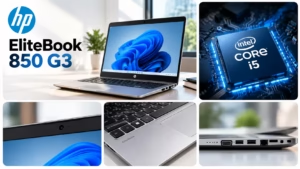
The HP EliteBook 850 G3 is a business-class laptop designed for office productivity and everyday computing. Introduced in 2016, it features a 15.6-inch display, sixth-generation Intel Core processors, and business-focused security features. Today, it may appeal to students, professionals, and budget-conscious buyers looking for a refurbished laptop. However, its age makes processor performance, battery health, and software compatibility important considerations. In this guide, you’ll discover its specifications, features, advantages, limitations, and essential buying tips.
What Is the HP EliteBook 850 G3?
The HP EliteBook 850 G3 is a business laptop introduced in 2016. HP designed it for corporate environments and professional users who need a practical computing device.
Additionally, it belongs to HP’s EliteBook 800 series and offers a professional design, comfortable keyboard, and multiple connectivity options. Depending on the configuration, it features an Intel Core i5 or Core i7 processor, integrated graphics, and SSD storage.
Therefore, buyers should verify the specifications of their chosen unit instead of relying only on the model name. This is particularly important when comparing refurbished laptops with different processor, memory, and storage configurations.
HP EliteBook 850 G3 Design and Build Quality
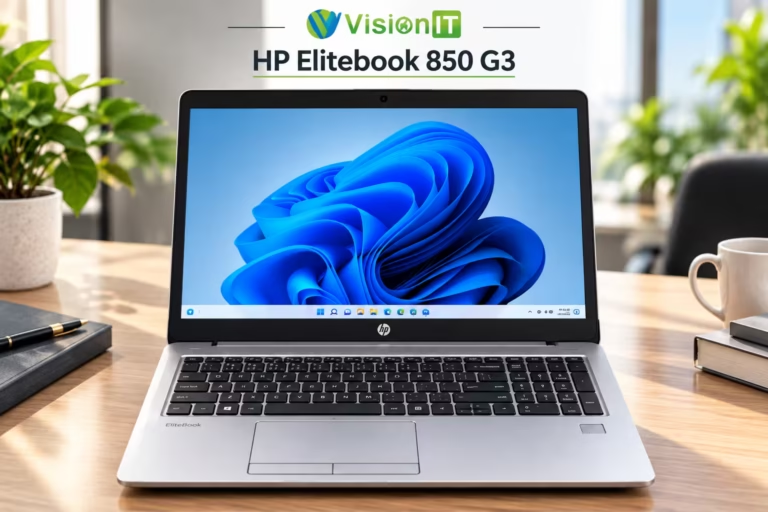
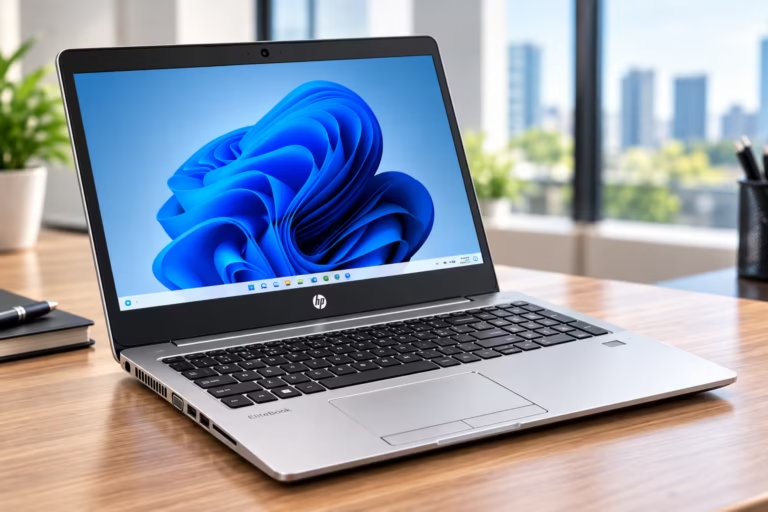
The EliteBook 850 G3 features a silver-coloured finish and a professional design. As a result, it suits offices, educational institutions, and business environments.
Its 15.6-inch display provides more workspace than smaller laptops. For example, users can comfortably organise spreadsheets, documents, and multiple application windows.
The laptop weighs approximately 1.88 kg in a tested configuration. Although it remains portable enough for commuting, newer ultrabooks are generally lighter. Consequently, frequent travellers should consider the laptop’s size before purchasing.
HP EliteBook 850 G3 Processor and Performance
The HP EliteBook 850 G3 uses sixth-generation Intel Core processors, including selected Core i5 and Core i7 configurations. These processors support everyday productivity and routine computing tasks.
For example, users can run office applications, browse websites, manage emails, prepare presentations, and use basic programming tools. Furthermore, installing an SSD can improve startup times and application loading compared with a traditional hard drive.
However, demanding modern applications may perform better on newer processors. Therefore, users who regularly multitask should check the installed RAM and storage before making a decision.
HP EliteBook 850 G3 Display Quality
The laptop features a 15.6-inch display, although its resolution and panel technology vary by configuration. Available versions include HD and Full HD panels.
In particular, the Full HD version offers a resolution of 1920 × 1080 pixels. This provides additional workspace for spreadsheets, documents, and multitasking.
However, display quality also depends on the installed panel and its condition. Before purchasing a refurbished unit, check its brightness, viewing angles, colour reproduction, and screen condition. This way, you can avoid unexpected display problems.
HP EliteBook 850 G3 RAM and Storage Options
Memory and storage significantly influence the performance of an older laptop. The EliteBook 850 G3 supports DDR4 memory and has two memory slots in documented configurations.
However, the supported memory capacity depends on the hardware configuration. Storage options also vary, although compatible SSDs can provide a more responsive computing experience.
Therefore, confirm the installed RAM, SSD capacity, and available upgrade options before purchasing. In addition, choose enough storage for your applications, documents, and other files.
HP EliteBook 850 G3 Battery Life
Battery life depends on battery health, screen brightness, processor load, and application usage. For instance, a laptop used for light browsing may last longer than one running demanding applications.
A review of one configuration recorded approximately seven hours during a controlled Wi-Fi browsing test. However, this result does not guarantee similar performance from every unit.
Refurbished laptops may have ageing batteries. Consequently, ask the seller about battery health, charging performance, and tested runtime. If you frequently work away from a power outlet, battery condition should be a major purchasing consideration.
HP EliteBook 850 G3 Ports and Connectivity
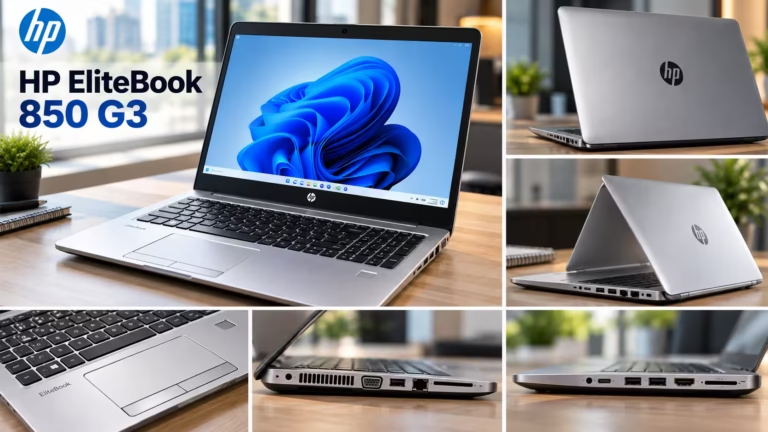
The EliteBook 850 G3 offers several connectivity options for external devices and office peripherals. Depending on the configuration, available connections include:
Three USB 3.0 ports.
VGA output and DisplayPort.
An SD card reader.
A headphone and microphone combination jack.
An Ethernet port.
A docking connector.
Wi-Fi and Bluetooth.
As a result, the laptop can support various office setups, including external displays and wired networking. Nevertheless, buyers should test every port before purchasing a refurbished unit.
HP EliteBook 850 G3 Security Features
HP designed the EliteBook range for business environments where device security is important. Depending on the configuration, the EliteBook 850 G3 may include a fingerprint reader, Smart Card reader, and Trusted Platform Module hardware.
These features can help support authentication and certain device security functions. However, their availability varies between units. Therefore, verify the installed hardware and ensure the operating system supports your security requirements.
Is the HP EliteBook 850 G3 Good for Students and Office Work?
The HP EliteBook 850 G3 can suit students and office users who need an affordable laptop for everyday productivity.
For students, it can support assignments, research, presentations, and online learning. Similarly, office professionals can use it for spreadsheets, document editing, email, and administrative applications.
Additionally, it may support basic programming when the required development tools remain compatible. However, users who need modern gaming, intensive video editing, or advanced design software should compare newer laptops.
Advantages and Disadvantages of the HP EliteBook 850 G3
Advantages
Professional design suitable for business environments.
Large 15.6-inch display.
Multiple connectivity options.
SSD support for everyday productivity.
Memory upgrade options in supported configurations.
Business-oriented security features on selected units.
Disadvantages
Older sixth-generation Intel processor platform.
Limited performance for demanding modern applications.
Battery condition may vary considerably between refurbished units.
Display quality depends on the configuration.
Software compatibility and security support require careful consideration.
Overall, the laptop offers useful business features for basic computing. Nevertheless, its age means buyers should carefully evaluate its limitations.
What to Check Before Buying a Refurbished HP EliteBook 850 G3
Before purchasing a refurbished unit, inspect the following components:
Processor: First, confirm whether the laptop has an Intel Core i5 or Core i7.
RAM: Next, check the installed memory and supported upgrade options.
Storage: Additionally, verify SSD capacity and functionality.
Display: Meanwhile, look for dead pixels, flickering, scratches, and uneven brightness.
Battery: Also, check battery health, charging behaviour, and actual runtime.
Keyboard and touchpad: Similarly, test every key, button, and gesture.
Connectivity: Furthermore, test USB ports, display outputs, Wi-Fi, Ethernet, and Bluetooth.
Operating system: Finally, confirm application compatibility and security updates.
Warranty: Before ordering, review the warranty period, return policy, and after-sales support.
For additional options, explore our refurbished laptops collection. You can then compare business laptop models based on your requirements and budget.
Related Products and Resources
If you are researching business laptops and operating system options, these Vision IT resources may help:
Please note: Windows licenses are relevant when evaluating compatible Windows-based computers. In contrast, they are not required for a MacBook running macOS.
HP EliteBook 850 G3 Specifications
| Specification | Details |
|---|---|
| Brand | HP |
| Model | EliteBook 850 G3 |
| Launch generation | 2016 |
| Display | 15.6-inch HD or Full HD, depending on configuration |
| Processor | Sixth-generation Intel Core i5 or Core i7 |
| Graphics | Integrated Intel HD Graphics 520 on common configurations |
| RAM | DDR4; capacity varies |
| Memory slots | Two in documented configurations |
| Storage | SSD; configuration-dependent |
| USB ports | Three USB 3.0 ports |
| Video output | VGA and DisplayPort |
| Networking | Ethernet, Wi-Fi, and Bluetooth |
| Security | Selected configurations include fingerprint and Smart Card readers |
| Weight | Approximately 1.88 kg in a tested configuration |
| Operating system | Original Windows options varied; current compatibility depends on the configuration |
Please note that specifications vary by configuration. Therefore, verify the exact hardware before purchasing.
Frequently Asked Questions
1. What are the specifications of the HP EliteBook 850 G3?
The HP EliteBook 850 G3 features a 15.6-inch display, 6th-generation Intel Core i5 or i7 processor, DDR4 RAM, and SSD or HDD storage.
2. How old is the HP EliteBook 850 G3?
The HP EliteBook 850 G3 was introduced in 2016. As of 2026, it is approximately 10 years old.
3. Is the HP EliteBook 850 G3 a good laptop?
Yes, it is suitable for office work, web browsing, document editing, and online classes. However, demanding applications may challenge its older hardware.
4. Is the HP EliteBook 840 G3 a good laptop?
Yes, the HP EliteBook 840 G3 is suitable for office work, browsing, email, and online learning. Its performance depends on its configuration and condition.
5. What is the price of the HP EliteBook 850 G3 laptop?
The price varies depending on the processor, RAM, storage, physical condition, and warranty. Refurbished models may offer a budget-friendly option.
6. What does G3 mean in a laptop?
G3 means Generation 3 in HP’s EliteBook naming system. It identifies the third generation of that particular model series.
7. What is the lifespan of an HP EliteBook?
An HP EliteBook can last five to eight years or longer with proper maintenance. Battery health and hardware condition affect its lifespan.
8. Can the HP EliteBook 840 G3 run Windows 11?
It is not officially supported for Windows 11 because its typical 6th-generation Intel processor does not meet Microsoft’s requirements.
9. When did the HP EliteBook 850 come out?
The HP EliteBook 850 G3 was introduced in 2016. Other EliteBook 850 generations were released in different years.
