



Motherboard 5XGC8 for Dell OptiPlex SFF Desktop
The Motherboard 5XGC8 for Dell OptiPlex SFF is a replacement motherboard designed for compatible Dell OptiPlex Small Form Factor desktop computers. It features the Intel Q170 Express chipset and provides essential connectivity and expansion options for business systems. Whether you are replacing a faulty board or maintaining existing desktop computers, this replacement offers a practical option when system specifications match.
Additionally, its compact layout suits compatible SFF chassis. Therefore, check the motherboard part number, processor compatibility, RAM support, connectors, and physical dimensions before ordering. At Vision IT Peripherals, you can explore computer components and hardware solutions for desktop maintenance and business requirements.
Product Specifications
| Specification | Details |
|---|---|
| Brand | Dell |
| Part Numbers | 5XGC8 / 05XGC8 / CN-05XGC8 |
| Compatible Series | Dell OptiPlex SFF |
| Chipset | Intel Q170 Express |
| Form Factor | Small Form Factor |
| Expansion Slot | 1 PCIe x16 |
| Storage Expansion | M.2 slot, as supplied |
| Connectivity | USB 3.0 and SATA interfaces |
| Product Type | Desktop Motherboard |
Key Features of the Dell OptiPlex SFF Motherboard 5XGC8
This Dell motherboard offers useful connectivity and expansion options for compatible desktop configurations. Moreover, its compact design makes it suitable for space-conscious business environments.
- Dell OptiPlex Compatibility: Designed for compatible Dell OptiPlex SFF systems.
- Intel Q170 Chipset: Provides the platform chipset specified for this motherboard.
- PCIe x16 Expansion: Supports compatible graphics or expansion cards.
- M.2 Storage Support: Provides an M.2 connection for supported SSD configurations.
- USB 3.0 Connectivity: Supports compatible peripherals and external devices.
- SATA Interfaces: Connects supported internal storage devices.
However, motherboard revisions may have different specifications. Therefore, confirm the exact board and system compatibility before purchasing.
Processor Compatibility of the Dell OptiPlex SFF Motherboard
Processor compatibility depends on the motherboard revision, BIOS version, and supported processor generation. First, identify the processor currently installed in your desktop. Next, compare its specifications with the supported processor list for the exact board.
Additionally, check the processor socket and chipset requirements before planning an upgrade. This step helps reduce compatibility problems during installation. For businesses maintaining multiple desktop computers, verifying processor support beforehand can also simplify replacement planning.
Nevertheless, do not assume that every Dell OptiPlex SFF model uses the same motherboard or processor configuration.
Expansion and M.2 SSD Storage Options
The Motherboard 5XGC8 for Dell OptiPlex SFF includes a PCIe x16 expansion slot, according to the supplied specifications. Consequently, users can consider compatible graphics or expansion cards for supported configurations. However, check card dimensions, power requirements, and chassis clearance before installation.
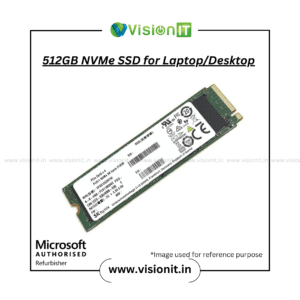
Additionally, the listed M.2 slot provides an option for compatible SSD storage. An SSD can improve boot times and application loading compared with a traditional hard drive. Therefore, check the supported M.2 interface, drive dimensions, and protocol before selecting an SSD.
For more storage choices, explore SSD and HDD Storage.
Connectivity and Business Applications
This Dell motherboard provides USB 3.0 and SATA connectivity, according to the supplied details. Furthermore, these interfaces support compatible peripherals and internal storage devices.
For example, office users can connect keyboards, mice, external storage, and other supported accessories. As a result, a compatible replacement can help maintain everyday desktop functionality. Additionally, businesses can use suitable components when maintaining existing computer infrastructure.
However, always compare the rear I/O layout and internal connectors with your original motherboard before installation.
Why Choose Vision IT Peripherals?
Vision IT Peripherals supplies computer components, desktop hardware, and IT products for business and individual requirements. Moreover, customers can explore replacement parts and storage upgrades through the website.
Before ordering, confirm the part number, processor compatibility, memory support, M.2 specifications, product condition, and applicable warranty terms. This information helps ensure that the selected component meets your system requirements.
Additionally, businesses looking for Windows licensing options can explore Genuine Microsoft Windows Licences. Choose a suitable licence according to your computer and intended usage.
We Also Sell
- Branded Motherboards
- SSD and HDD Storage
- RAM and Memory
- Processors: Intel and AMD
- SMPS for HP, Dell and Lenovo
Frequently Asked Questions About the Dell OptiPlex SFF Motherboard
1. What is the 5XGC8 motherboard used for?
It is a replacement motherboard for compatible Dell OptiPlex Small Form Factor desktop systems. Therefore, confirm the original board’s part number before purchasing.
2. Which chipset does this motherboard use?
The supplied specifications identify the Intel Q170 Express chipset. However, check the exact board revision to confirm its specifications.
3. Does the motherboard support an SSD?
The supplied details list an M.2 slot and SATA interfaces. Nevertheless, verify the supported SSD interface and configuration before selecting a drive.
4. Can I install a dedicated graphics card?
The motherboard includes a PCIe x16 slot, according to the supplied details. However, check card dimensions, power requirements, and system clearance before installation.
5. How can I confirm motherboard compatibility?
Compare the part number 5XGC8, 05XGC8, or CN-05XGC8 with your original board. Additionally, verify the desktop model, processor, memory, and connectors.
Order Now
Looking for the Motherboard 5XGC8 for Dell OptiPlex SFF? Contact Vision IT Peripherals to enquire about availability, pricing, and applicable warranty terms. First, verify your original motherboard part number and system specifications. Consequently, you can make a more informed replacement decision and avoid unnecessary compatibility issues.

Reviews
There are no reviews yet.