



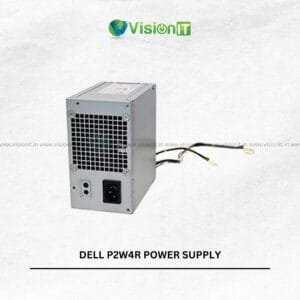
DELL F255E01 Power Supply for Dell Desktop Computers
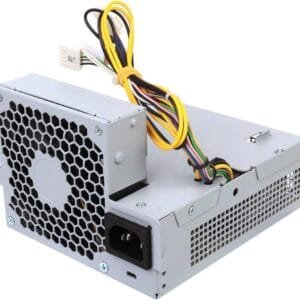
The DELL F255E01 Power Supply is a replacement power supply for compatible Dell desktop computers. It helps provide the power required for everyday computing, office work, and business applications. Whether you are maintaining an existing desktop or replacing a faulty power supply, choosing the correct unit is essential.
Therefore, check the part number, connector layout, physical dimensions, and power rating before ordering. At Vision IT Peripherals, you can explore computer power supplies and other hardware components for desktop maintenance and upgrades. However, confirm compatibility with your exact Dell model before purchasing.
Product Specifications
| Specification | Details |
|---|---|
| Brand | Dell |
| Part Number | F255E01 |
| Product Type | Desktop Power Supply |
| Compatibility | Select compatible Dell desktop models |
| Primary Function | Power delivery to desktop components |
| Installation | Verify system-specific requirements |
| Suitable Use | Replacement and desktop maintenance |
Key Features of the DELL F255E01 Power Supply
The DELL F255E01 Power Supply is intended for compatible Dell desktop systems. However, specifications and compatibility can vary by system configuration. Review the following points before selecting a replacement.
- Replacement Support: Replace a faulty power supply when the unit matches your desktop’s requirements.
- System Power Delivery: The power supply distributes electrical power to compatible internal components.
- Desktop Maintenance: A suitable replacement can help restore normal operation when the original power supply has failed.
- Compatibility Checks: Matching the part number and connectors helps reduce the risk of ordering an unsuitable component.
- Practical Hardware Replacement: A compatible unit can support repairs and maintenance for existing desktop computers.
Additionally, inspect the original unit’s label and connector arrangement before placing an order. Do not assume that every Dell OptiPlex model uses the same power supply.
How to Check Dell F255E01 Power Supply Compatibility
Before purchasing the DELL F255E01 Power Supply, identify your desktop’s exact model and service tag. Next, compare the original power supply’s part number with the replacement unit. This step helps confirm whether the component is appropriate for your system.
You should also check the rated wattage, output specifications, motherboard connector, and any additional power connectors. Furthermore, compare the unit’s dimensions with the available mounting space inside your desktop case.
For additional assistance, consult Dell’s official support website. You can search using your desktop’s service tag or model number to find relevant documentation. Nevertheless, confirm the replacement part number before ordering because similar-looking power supplies may have different specifications.
Signs That Your Dell Desktop Power Supply Needs Replacement
A failing power supply can cause several desktop problems. However, these symptoms do not always indicate a power supply fault, so further diagnosis may be necessary.
- Unexpected Shutdowns: The computer switches off without warning.
- Failure to Start: The desktop does not power on normally.
- Intermittent Operation: The system starts inconsistently or loses power during use.
- Unusual Noise: The power supply produces abnormal fan noise or other unusual sounds.
- Power-Related Instability: The desktop experiences problems that may originate from its power delivery system.
If you notice these symptoms, check the power cable, wall socket, and other basic connections first. Then consult a qualified technician or Dell’s official troubleshooting and support resources. Always disconnect the desktop from the mains before internal inspection, and never open the power supply casing yourself.
Improve Dell Desktop Performance with an SSD Upgrade
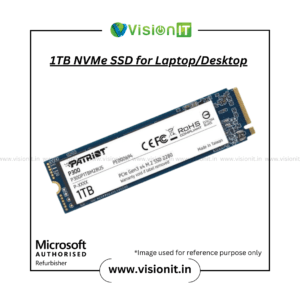
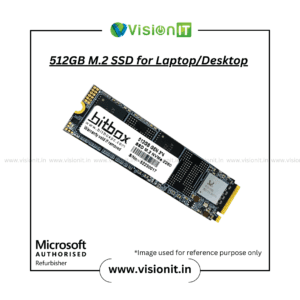
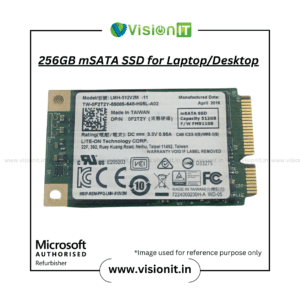
Replacing a faulty power supply addresses a power-related issue; however, it does not directly increase processing speed. If your Dell desktop feels slow, an SSD upgrade may improve boot times and application loading, provided the system supports the selected drive.
An SSD can also make everyday tasks feel more responsive compared with a traditional hard drive. Therefore, consider your storage configuration when planning a desktop upgrade.
Explore SSD and HDD Storage to find storage options for compatible computers. Before purchasing, check the drive interface, physical size, and available connections.
Why Buy Computer Components from Vision IT Peripherals?
Vision IT Peripherals supplies computer hardware, components, and IT equipment for different business and personal requirements. Customers can explore replacement parts and related products through the website.
Additionally, businesses looking to maintain or upgrade their computer infrastructure can review the available product categories. However, product availability, specifications, warranty coverage, and condition should be confirmed before ordering.
For Windows licensing requirements, explore Genuine Microsoft Windows Licences. Choose a licence appropriate for your system and usage requirements.
We Also Sell
- SMPS for HP, Dell and Lenovo
- SSD and HDD Storage
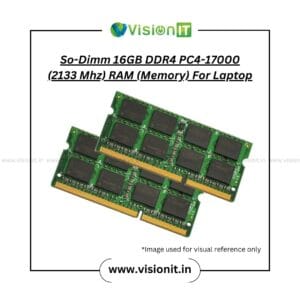
- RAM and Memory
- Pre-Owned Desktops
- Computer Accessories
Frequently Asked Questions About the DELL F255E01 Power Supply
1. What is the DELL F255E01 Power Supply?
The DELL F255E01 is a desktop power supply part identified by its part number. Confirm its specifications and compatibility with your Dell computer before purchasing.
2. Is the DELL F255E01 compatible with every Dell OptiPlex desktop?
No. Compatibility depends on the specific desktop model, power requirements, connectors, and physical dimensions. Check your original part number before ordering.
3. How can I confirm whether I need a replacement power supply?
Unexpected shutdowns, startup failures, and intermittent power may indicate a fault. However, other components can cause similar symptoms, so diagnosis is recommended.
4. Will a new power supply make my Dell desktop faster?
Not usually. A replacement power supply addresses power-related problems, while an SSD upgrade may improve boot and application loading times on compatible systems.
5. What should I check before ordering this power supply?
Verify the Dell model, part number, wattage, connectors, and dimensions. Additionally, confirm current availability and warranty details with the seller.
Order Now
Looking for the DELL F255E01 Power Supply? First, confirm that the part matches your Dell desktop’s requirements. Then contact Vision IT Peripherals to enquire about availability, pricing, and applicable warranty terms. Choosing a compatible replacement can help you maintain your desktop and address power-related hardware issues.

Reviews
There are no reviews yet.