



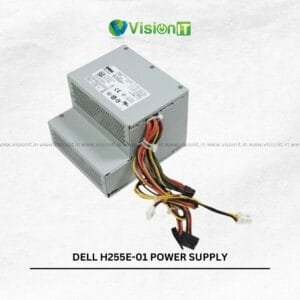
Dell OptiPlex 7020 SFF Power Supply
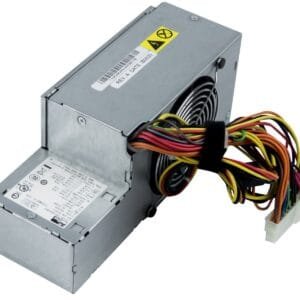
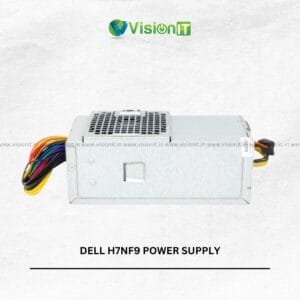
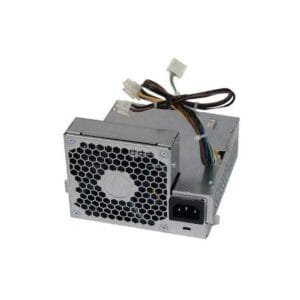
The Dell OptiPlex 7020 SFF Power Supply is a replacement SMPS for users who need to maintain the power supply of a compatible Dell OptiPlex 7020 Small Form Factor desktop. It is suitable for businesses, offices, IT technicians, and individuals looking to repair or maintain an existing system. When a desktop experiences unexpected shutdowns, fails to start, or shows signs of power-related problems, checking the power supply is an important troubleshooting step.
However, these symptoms can also result from other faulty components. Therefore, verify the original power supply’s part number, rated wattage, connectors, and physical dimensions before ordering. VisionIT Peripherals offers IT hardware and replacement components for customers seeking practical solutions for desktop maintenance and repair.
Product Specifications
| Specification | Details |
|---|---|
| Product Name | Dell OptiPlex 7020 SFF Power Supply |
| Product Type | SMPS / Power Supply Unit |
| Compatible System | Dell OptiPlex 7020 SFF, subject to part-number verification |
| Form Factor | Small Form Factor (SFF) compatible unit |
| Brand Compatibility | Dell |
| Application | Desktop power supply replacement |
| Wattage | Verify against the original unit |
| Connector Type | Verify before purchase |
| Condition | Confirm with the seller |
Reliable Power for Desktop Maintenance
A desktop power supply distributes electrical power to the system’s internal components. Consequently, a suitable replacement helps restore normal operation when the original SMPS has failed. It also supports routine maintenance for business desktops used for everyday office tasks.
However, not every Dell power supply fits every OptiPlex model. Therefore, check the original unit’s label and compare its specifications before purchasing a replacement.
Check Compatibility Before Ordering
The Dell OptiPlex 7020 SFF Power Supply is intended for compatible Small Form Factor desktop configurations. Nevertheless, buyers should verify the exact model and power supply part number before placing an order.
Check these details carefully:
- Original SMPS part number and rated wattage.
- Motherboard and component power connectors.
- Physical dimensions and mounting arrangement.
- Compatibility with the exact OptiPlex 7020 SFF configuration.
Additionally, contact the seller if any specification is unclear. This simple step can help reduce installation problems and unnecessary returns.
Recognising Possible Power Supply Problems
A failing SMPS can cause several power-related symptoms. For example, the computer may shut down unexpectedly, fail to start, or lose power during operation. In some cases, the desktop may show no signs of receiving power.
However, these symptoms do not always indicate a faulty power supply. A damaged power cable, motherboard issue, or another failing component can produce similar problems. Therefore, arrange a proper diagnosis before replacing the unit.
For safety, disconnect the desktop from the mains before inspection. Avoid opening the power supply enclosure because internal components can retain dangerous electrical charges.
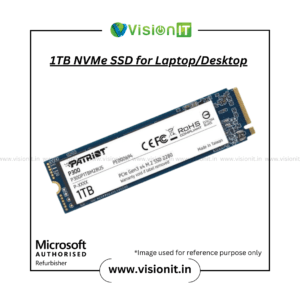
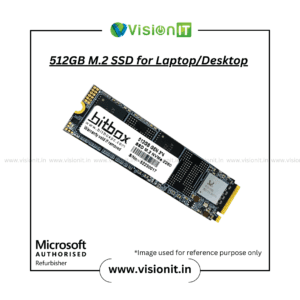
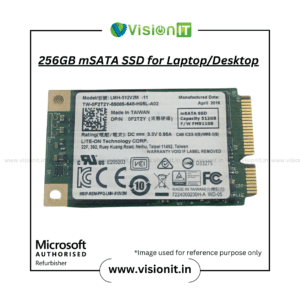
Improve Everyday Desktop Performance with an SSD
A compatible SSD can improve overall system responsiveness when a desktop still uses a traditional hard drive. For example, an SSD can reduce boot times and help applications load more quickly. It can also make everyday multitasking feel smoother.
Moreover, SSDs generally consume less power than traditional mechanical hard drives. However, an SSD does not repair a defective power supply. Address power-related faults separately before upgrading storage.
Explore available options in the VisionIT SSD and HDD Storage category.
Why Choose VisionIT Peripherals?
VisionIT Peripherals supplies IT hardware and components for businesses, technicians, system integrators, and individual customers. The company supports desktop maintenance and hardware replacement requirements with a range of computing products.
Additionally, customers can explore compatible components for different business and desktop configurations. VisionIT also offers genuine Microsoft Windows licences through its dedicated Windows licensing platform.
Before purchasing, share your desktop model and the original SMPS part number to help confirm the correct replacement.
We Also Sell
- SMPS for HP, Dell and Lenovo
- Branded Motherboards
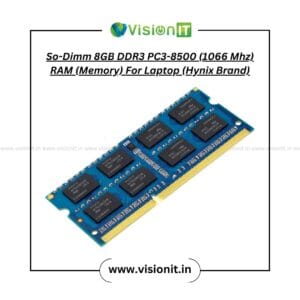
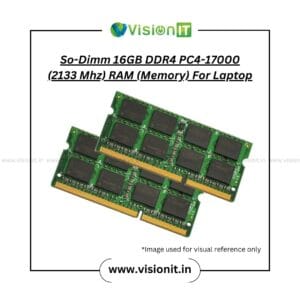
- RAM and Memory
- SSD and HDD Storage
- Pre-Owned Desktops
- Genuine Microsoft Windows Licences
Frequently Asked Questions About Dell OptiPlex 7020 SFF Power Supply
1. What is the Dell OptiPlex 7020 SFF Power Supply used for?
It supplies electrical power to compatible Dell OptiPlex 7020 Small Form Factor desktop components. It serves as a replacement when the original power supply fails or requires replacement.
2. How can I confirm compatibility?
Compare the original SMPS part number, wattage, connectors, and physical dimensions. If you are unsure, provide these details to the seller before ordering.
3. Can a faulty SMPS cause unexpected shutdowns?
Yes. A defective power supply can cause unexpected shutdowns or prevent a desktop from starting. However, other hardware faults can cause similar symptoms, so proper diagnosis is recommended.
4. Does replacing the SMPS make a computer faster?
A suitable replacement can restore normal operation if the existing power supply causes power-related problems. However, it does not directly increase processing speed when the original power supply works correctly.
5. Can I install the power supply myself?
Installation depends on your technical experience and the exact unit. Disconnect the computer from mains power before working on it. If you lack experience, consult a qualified technician.
Order Now
Looking for a replacement Dell OptiPlex 7020 SFF Power Supply? Contact VisionIT Peripherals with your desktop model and original SMPS part number to check compatibility before ordering. Confirm the wattage, connectors, condition, and availability with the seller to help ensure you select the correct replacement for your system.

Reviews
There are no reviews yet.