


Logitech USB Mouse – Wired Optical Mouse for Home & Office
The Logitech USB Mouse is a practical wired pointing device for professionals, students, businesses, and home users who need comfortable and responsive computer navigation. Moreover, its USB connection provides straightforward connectivity with compatible laptops and desktop computers. Optical tracking supports accurate cursor movement for documents, presentations, spreadsheets, web browsing, and other everyday tasks.
In addition, the compact design makes the mouse suitable for office desks, home workstations, classrooms, and shared computers. Therefore, buyers looking for a reliable Logitech wired mouse can consider this option for regular computing, productivity, and general navigation.
Product Specifications
| Specification | Details |
|---|---|
| Product | Logitech USB Mouse |
| Brand | Logitech |
| Connectivity | USB Wired |
| Tracking Technology | Optical |
| Connection Type | Plug and Play |
| Compatibility | Compatible Laptops and Desktop Computers |
| Design | Compact and Ergonomic |
| Usage | Home, Office, Education and Business |
| Condition | New |
Logitech USB Mouse for Everyday Computer Use
The Logitech USB Mouse provides a simple way to control a compatible desktop or laptop. Furthermore, the wired USB connection eliminates the need for batteries or wireless pairing. As a result, users can connect the mouse and begin working with minimal setup.
Moreover, it suits everyday tasks such as document editing, spreadsheet work, web browsing, file management, presentations, and application navigation. Therefore, it can support both individual users and shared workstations.
Logitech USB Mouse with Comfortable Design
A practical mouse design can make extended computer use more convenient. In addition, the compact shape makes this accessory suitable for desks with limited space while allowing easy movement across a suitable surface.
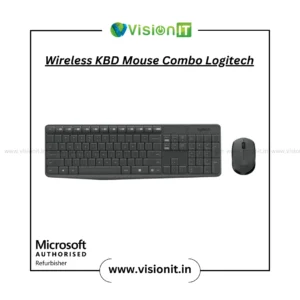
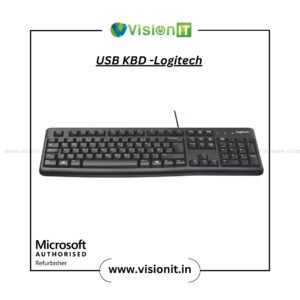
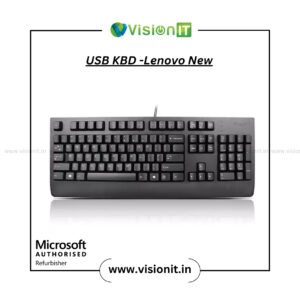
For example, professionals can use it for office applications, while students can use it for assignments, online learning, research, and general computer work. Furthermore, home users can pair the mouse with a compatible keyboard for a simple desktop setup.
Optical Tracking for Precise Navigation
This Logitech USB Mouse uses optical tracking to support responsive cursor movement on suitable surfaces. Therefore, users can navigate folders, websites, menus, documents, and software applications with greater control.
Moreover, optical tracking suits common productivity activities such as editing documents, preparing presentations, managing files, and browsing the internet. However, actual tracking performance can vary according to the surface and computer configuration.
Logitech USB Mouse with Plug-and-Play USB Connectivity
The mouse uses a wired USB connection for convenient installation. Therefore, users can connect it to an available USB port on a compatible laptop or desktop and begin using it without complicated pairing.
In addition, the plug-and-play design makes the mouse practical for offices, classrooms, computer labs, reception desks, and shared workstations. Consequently, users can replace an existing pointing device quickly and continue their regular work.
Reliable Wired Connection for Daily Work
A wired connection provides a direct link between the mouse and computer. Unlike wireless models, it does not require battery replacement or wireless pairing. As a result, this mouse can suit users who prefer a straightforward solution for fixed workstations.
Furthermore, businesses can deploy wired mice across multiple desks where computers and peripherals remain in fixed locations. This approach can simplify peripheral management across office environments.
Logitech USB Mouse for Home, Office and Education
The mouse can support several everyday computing environments. For instance, professionals can use it for productivity applications, students can use it for assignments and online learning, and home users can rely on it for browsing and general tasks.
Moreover, organizations can use compatible Logitech mice across workstations when they need a simple USB pointing device. Therefore, it can suit both individual buyers and business requirements.
Check Compatibility Before Ordering
Before purchasing, check that your laptop or desktop provides a compatible USB port. In addition, consider your available workspace, preferred mouse design, and intended usage.
If you are replacing an existing mouse, compare the USB connection and general design before ordering. This simple check can help ensure that the accessory suits your current computer setup.
Why Buy From VisionIT Peripherals?
VisionIT Peripherals supplies keyboards, mice, computer accessories, laptops, desktops, monitors, storage devices, RAM, processors, motherboards, and other IT hardware. Moreover, customers can check product availability, pricing, warranty information, and compatibility before purchasing.
We Also Sell
- Keyboard & Mouse
- Computer Accessories
- Pre-Owned Laptops
- Pre-Owned Desktops
- SSD & HDD Storage
- Genuine Microsoft Windows Licenses
Frequently Asked Questions About Logitech USB Mouse
FAQ 1: Is the Logitech USB Mouse suitable for laptops and desktops?
Yes. It works with compatible laptops and desktop computers that provide a suitable USB port.
FAQ 2: Does the Logitech USB Mouse use a wired connection?
Yes. It uses a USB wired connection, so users do not need wireless pairing or batteries.
FAQ 3: Does this mouse support optical tracking?
Yes. The supplied product information identifies optical tracking for everyday cursor navigation.
FAQ 4: Is the mouse suitable for office and student use?
Yes. Its practical design and USB connectivity make it suitable for office work, education, home computing, and general daily tasks.
FAQ 5: Does the mouse require complicated installation?
No. The plug-and-play design allows compatible computers to detect the mouse after connection.
Order Logitech USB Mouse
Choose the Logitech USB Mouse for convenient USB connectivity, optical tracking, and practical everyday navigation. Moreover, its wired design provides a straightforward solution for home users, students, professionals, and businesses. Contact VisionIT Peripherals for current availability, pricing, warranty information, and product details before ordering.




Reviews
There are no reviews yet.