

Looking to buy a refurbished MacBook Pro in India without overspending? This laptop can suit students, professionals, developers, designers, and business owners who need reliable performance at a lower cost. Whether you need it for coding, video editing, office work, online learning, or remote meetings, choosing the right model matters.
Before purchasing, check the processor, RAM, storage, battery health, macOS compatibility, and warranty. This guide explains which MacBook Pro models to consider, what features to inspect, where to buy a refurbished MacBook Pro in India, when to compare configurations, why condition matters, and how to make an informed buying decision.
Why Should You Buy a Refurbished MacBook Pro?
Apple MacBook Pro laptops are known for their premium build quality, high-resolution displays, and performance-focused hardware. However, purchasing a brand-new model can require a significant investment.
A refurbished MacBook Pro offers an alternative for buyers who want to experience macOS and Apple’s hardware at a potentially lower cost.
Here are some important benefits to consider.
1. Save Money on Premium Hardware
A refurbished MacBook Pro generally costs less than a comparable new model. This price difference can make Apple’s professional laptop range more accessible to students, freelancers, and small businesses.
However, prices vary by generation, configuration, physical condition, and warranty. Compare the total value rather than choosing a laptop based on price alone.
2. Get Performance for Everyday Work
MacBook Pro models are suitable for various workloads, including document editing, browsing, programming, online meetings, and creative projects.
Apple Silicon models, including the M1 and M2 generations, offer capable performance for many everyday and professional tasks. More demanding workloads may benefit from models with higher memory capacity and more powerful chips.
3. Enjoy a Premium Display and Build
MacBook Pro laptops feature carefully designed aluminium enclosures and quality displays. Depending on the model, you may also get features such as a Retina display, a larger screen, additional ports, and an improved speaker system.
Before buying a refurbished unit, inspect the display for dead pixels, uneven brightness, marks, and other damage.
4. Choose a More Sustainable Option
Buying a refurbished laptop can extend the useful life of existing electronics. It may also help reduce demand for newly manufactured devices.
However, the environmental benefit depends on the laptop’s remaining lifespan, condition, and how long you continue using it.
Which Refurbished MacBook Pro Should You Buy?
The best refurbished MacBook Pro depends on your budget, intended use, and preferred features. Different generations offer different combinations of performance, battery efficiency, display quality, and connectivity.
MacBook Pro M1 (2020)
The 13-inch MacBook Pro with the M1 chip is worth considering for everyday productivity, coding, online learning, and moderate creative work.
Its Apple Silicon processor delivers responsive performance for many common applications. It can also suit users who want to move from an older Intel MacBook to an Apple Silicon system.
Check the available RAM and SSD configuration carefully because memory and internal storage are not user-upgradable on this model.
MacBook Pro M2 (2022)
The 13-inch MacBook Pro with the M2 chip offers a newer processor generation than the M1 model.
It can be suitable for multitasking, office applications, development tools, and moderate editing workloads. However, the practical difference depends on your software, memory requirements, and chosen configuration.
Compare its price with newer alternatives before purchasing.
MacBook Pro 14-inch and 16-inch Models
The 14-inch and 16-inch MacBook Pro models introduced with the M1 Pro and M1 Max chips in 2021 are attractive options for demanding work.
Depending on configuration, these models provide higher performance, more memory options, additional connectivity, and advanced display features.
They may suit video editors, photographers, designers, developers, and users who regularly handle larger projects.
Inspect their battery condition, display, ports, and repair history before making a decision.
Intel-Based MacBook Pro Models
Older Intel MacBook Pro models may appeal to buyers with limited budgets or software requirements specific to Intel-based systems.
However, check their macOS compatibility, software support, battery condition, and expected remaining useful life. Some newer macOS releases no longer support certain older Intel models.
For long-term use, compare an older Intel MacBook Pro against an Apple Silicon alternative before deciding.
What Specifications Should You Check?
Before purchasing a refurbished MacBook Pro, compare the specifications against your daily workload.
| Specification | What to consider |
|---|---|
| Processor | Apple M1, M2, or a newer supported generation based on workload and budget |
| RAM | 8GB may suit basic tasks; 16GB or more is worth considering for heavier multitasking |
| SSD storage | 256GB suits lighter use; 512GB or more provides additional room for large files |
| Display | Check screen size, resolution, brightness, and physical condition |
| Battery | Review battery health, cycle count, and real-world runtime |
| Operating system | Confirm the model supports the macOS version and applications you need |
| Connectivity | Check the available USB-C, Thunderbolt, HDMI, SD card, and other ports |
| Warranty | Confirm the duration, coverage, exclusions, and replacement policy |
These recommendations are general starting points. Your ideal configuration depends on your software, workload, and budget.
Remember that RAM and internal SSD storage are generally not upgradeable after purchase on modern MacBook Pro models. Select the right configuration from the beginning.
Essential Checks Before Buying a Refurbished MacBook Pro
A low price is not enough to determine whether a refurbished MacBook Pro is a good purchase. Inspect the device carefully and request clear documentation.
1. Check Battery Health
Battery condition affects portability and the overall ownership experience. Ask the seller for the battery’s condition, maximum capacity where available, and cycle count.
On a Mac, you can check the cycle count under System Information in the Power section. Battery cycle limits vary by model, so interpret the result according to the specific laptop.
A high cycle count does not automatically mean the battery has failed. However, reduced capacity may result in shorter runtime and additional replacement costs.
2. Inspect the Display and Keyboard
Test the screen against light and dark backgrounds. Look for dead pixels, flickering, unusual marks, and uneven brightness.
Check every keyboard key, the trackpad, speakers, microphone, webcam, and charging connection. Test all available ports using compatible accessories.
3. Verify Activation Lock Is Removed
Before paying, confirm that the seller has removed the previous owner’s Apple Account and that Activation Lock does not prevent you from setting up the Mac.
The Mac should be properly erased and ready for activation with your own Apple Account. Do not purchase a device that remains locked to another owner.
4. Test Performance and Charging
Open several applications, browse websites, play a video, and test the features you expect to use regularly.
Check whether the laptop charges consistently and whether it shows unusual shutdowns, excessive fan noise, or unexpected performance problems.
5. Review Warranty and Return Terms
Ask for a written warranty covering the applicable hardware defects. Check whether battery replacement, accidental damage, and accessories are included or excluded.
Also confirm the return window, replacement procedure, and seller’s contact details.
6. Check macOS and Software Compatibility
Not every MacBook Pro supports every macOS release. Confirm the exact model year and processor before buying.
If you use specialist software, development tools, or external devices, verify compatibility with the operating system supported by your selected MacBook.
Where Can You Buy a Refurbished MacBook Pro in India?
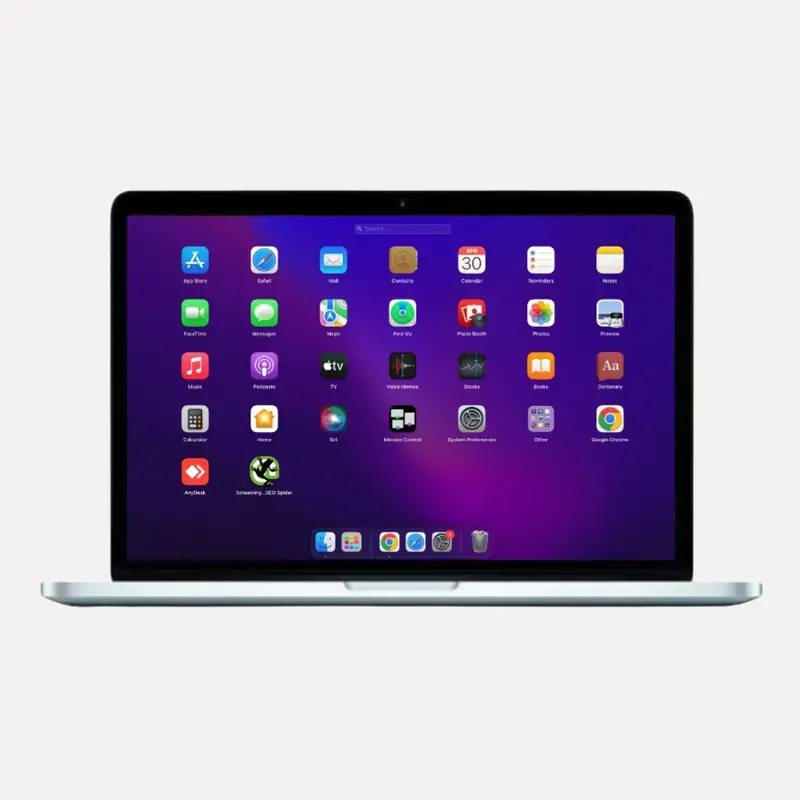
You can compare refurbished MacBook Pro options through established refurbished electronics sellers and specialist laptop retailers. Before placing an order, review the product configuration, battery condition, warranty, invoice, return policy, and seller reputation.
If you are looking for different Apple laptop models, explore the refurbished MacBook collection at Vision IT.
Compare the available models based on processor generation, RAM, storage, physical condition, and intended use. Product availability and configurations may vary, so confirm the specifications and warranty for the exact unit before purchasing.
For business buyers, it is also worth asking about bulk availability, invoice requirements, testing procedures, and after-sales support.
How Much Does a Refurbished MacBook Pro Cost in India?
The price of a refurbished MacBook Pro depends on its generation, configuration, condition, and warranty coverage.
Older Intel models may fall into lower price brackets, while Apple Silicon models and higher-performance 14-inch or 16-inch configurations generally command higher prices.
Instead of relying on a single price estimate, compare the actual listings available within your budget.
Consider these factors when evaluating an offer:
-
Processor generation: Newer and more powerful chips may cost more.
-
Memory and storage: Higher configurations can increase the price.
-
Battery condition: A worn battery may create an additional expense.
-
Physical condition: Display damage, dents, and keyboard issues can affect value.
-
Warranty: Clear warranty coverage can provide additional peace of mind.
Also consider the total ownership cost, including accessories, potential repairs, and storage needs.
Who Should Buy a Refurbished MacBook Pro?
A refurbished MacBook Pro can suit several types of users.
Students: It can support research, assignments, presentations, online classes, and everyday productivity.
Working professionals: It can handle email, documents, video meetings, spreadsheets, and many business applications.
Developers: Apple Silicon models can offer capable performance for coding, local development environments, and compatible development tools. Choose RAM according to your projects.
Designers and content creators: Models with more powerful processors, additional memory, and larger displays can suit compatible creative applications and demanding workflows.
Small businesses and freelancers: A refurbished MacBook Pro can help control hardware costs while providing a premium laptop experience.
However, users should always confirm software requirements before purchasing. Applications designed for Windows may require a separate solution or may not support macOS.
Frequently Asked Questions
What is a refurbished MacBook Pro?
A refurbished MacBook Pro is a previously owned or returned laptop that has been inspected, tested, and prepared for resale. The extent of testing, repairs, and cosmetic grading varies by seller, so check the product description carefully.
Is a refurbished MacBook Pro worth buying in 2026?
Yes, it can be worthwhile if the price reflects the laptop’s condition and the model meets your performance and software requirements. Check battery health, macOS compatibility, warranty coverage, and the expected length of use before purchasing.
Is the MacBook Pro M1 still a good option?
The M1 MacBook Pro can handle many everyday tasks, coding workloads, office applications, and moderate creative work. Its suitability depends on your software requirements, RAM, storage, condition, and supported operating system.
How much RAM do I need in a refurbished MacBook Pro?
For basic work, 8GB may be sufficient. For heavier multitasking, development, and creative applications, 16GB or more can be preferable. Choose carefully because the memory in modern MacBook Pro models is generally not upgradeable.
Should I buy an Intel MacBook Pro or an M1 model?
An M1 model is often worth comparing first because Apple Silicon offers strong performance and power efficiency. An Intel model may still suit specific legacy software or budget requirements, but verify its operating system and application support.
How can I check a refurbished MacBook Pro’s battery?
Review the battery condition and cycle count in System Information under Power. Ask the seller for additional battery-health information and confirm the laptop’s actual runtime where possible.
Does a refurbished MacBook Pro come with a warranty?
Warranty coverage depends on the seller and listing. Confirm the warranty period, covered components, exclusions, and replacement process in writing before buying.
Can I upgrade the RAM and SSD later?
Most modern MacBook Pro models have unified memory and internal storage that cannot be upgraded by the user after purchase. Select sufficient RAM and storage when choosing your configuration.
Final Thoughts
Buying a refurbished MacBook Pro in India can help you access Apple’s premium laptop range at a more manageable cost. The key is to evaluate the complete package rather than focusing only on the processor or advertised price.
Compare the model generation, memory, storage, battery condition, software compatibility, warranty, and seller reputation before making your decision. For many users, an Apple Silicon model offers a strong balance of performance and everyday usability, provided the configuration suits their needs.
Explore the refurbished MacBook range at Vision IT to compare available options and choose a MacBook that fits your requirements and budget.
