

Choosing between 16GB vs 32GB RAM depends on how you use your PC. For gaming, 16GB RAM is still enough for many popular games when paired with a capable processor and graphics card. However, 32GB RAM gives you more room for demanding games, video editing, background applications, and multitasking.
If you regularly edit high-resolution videos, stream while gaming, work with large projects, or keep many applications open, 32GB can provide a more comfortable experience. Before upgrading, consider your games, editing software, current system performance, and budget.
16GB vs 32GB RAM: What Is the Difference?
RAM, or Random Access Memory, temporarily stores data that your computer needs while applications are running.
The more RAM your system has, the more data it can keep readily available. This becomes useful when you run several applications at the same time.
With 16GB RAM, most everyday tasks and many games can run comfortably. Moving to 32GB gives the system twice as much memory. This can help with heavier workloads and demanding multitasking.
However, more RAM does not automatically make every application twice as fast. The benefit depends on whether your current system is actually running out of memory.
Is 16GB RAM Enough for Gaming?
For many gamers, 16GB RAM remains a practical starting point.
Modern games can use a significant amount of memory. However, total RAM usage also depends on Windows, background applications, browser tabs, launchers, and other software.
If you mainly play games without running many background applications, 16GB can be sufficient.
It can also be a good choice for a budget gaming PC. In that situation, you may get more gaming performance by spending additional money on the graphics card.
Is 32GB RAM Better for Gaming?
32GB can be a better choice for a gaming PC when your budget allows it.
Modern games continue to become more detailed and demanding. Gamers also commonly run Discord, browsers, recording software, launchers, RGB utilities, and other applications while playing.
With 32GB RAM, you have more memory available for these background tasks.
This can reduce memory pressure during gaming and multitasking. For high-end gaming PCs, 32GB also provides useful headroom for future games.
16GB vs 32GB RAM for Video Editing
The difference becomes more noticeable when you move from gaming to video editing.
Simple 1080p projects can often work well with 16GB RAM. However, larger projects can use considerably more memory.
Video resolution, project length, effects, timelines, footage size, and background applications can all affect RAM usage.
For 4K video editing, complex timelines, motion graphics, and larger projects, 32GB RAM can provide a smoother workflow.
16GB for 1080p Video Editing
16GB can be suitable for basic 1080p editing, short projects, and lighter effects.
However, performance can become less comfortable when projects become larger or when several applications are open together.
32GB for 4K Video Editing
32GB provides additional memory headroom for high-resolution footage and larger editing projects.
It can also help when you use editing software alongside media players, browsers, graphics applications, and other tools.
16GB vs 32GB RAM for Photo Editing
Photo editing requirements depend on the size and complexity of your projects.
Basic photo editing and standard image work can run comfortably with 16GB RAM.
However, large RAW files, high-resolution images, multiple layers, batch processing, and several open applications can increase memory usage.
In those situations, 32GB provides additional headroom.
If you regularly work with large Photoshop projects or similar applications, 32GB can reduce the need to close other applications while working.
16GB vs 32GB RAM for Streaming
Gaming while streaming creates an additional workload.
Your PC may need to run the game, streaming software, browser tabs, voice chat, and other applications simultaneously.
With 16GB, this setup can work depending on the game and system configuration. However, 32GB provides more breathing room.
For gamers who regularly stream, record gameplay, or create content while playing, 32GB is often the more comfortable option.
Does More RAM Increase FPS?
More RAM does not automatically increase FPS.
If a game already runs comfortably within 16GB, adding another 16GB may have little effect on average frame rates.
However, insufficient RAM can cause performance problems. The system may need to move data between RAM and storage, which can lead to stuttering or slower application performance.
Therefore, the goal should not be to buy as much RAM as possible. Instead, choose enough RAM for your workload and spend the remaining budget on components that affect performance more directly.
When Should You Choose 16GB RAM?
Choose 16GB if you mainly use your PC for gaming, web browsing, office applications, online classes, basic photo editing, and general productivity.
Gaming and Everyday Use
16GB is suitable for many everyday users and gamers who do not run demanding background applications.
Budget Gaming PCs
For a budget gaming PC, 16GB can leave more of your budget available for the processor or graphics card.
When Should You Choose 32GB RAM?
Choose 32GB if you regularly use your PC for demanding workloads.
This includes 4K video editing, streaming, large Photoshop projects, heavy multitasking, programming with multiple tools, virtual machines, content creation, and demanding modern games.
Video Editing
32GB is useful for larger editing projects and high-resolution footage.
Gaming and Streaming
32GB gives you more memory headroom when running a game alongside streaming and communication software.
Heavy Multitasking
If you regularly keep many applications and browser tabs open, 32GB can provide a more comfortable experience.
16GB vs 32GB RAM for Laptop or Desktop
The decision can also depend on the type of computer you use.
Desktop users often have more flexibility because RAM can be upgraded on many systems. If your motherboard has available memory slots, you may be able to add more RAM later.
Laptop upgrades can be more complicated. Some laptops allow RAM upgrades, while others use soldered memory that cannot be replaced easily.
Therefore, check your system specifications before buying RAM.
Desktop RAM Upgrades
Before purchasing additional desktop RAM, check the motherboard’s supported memory type, maximum capacity, available slots, and supported speeds.
Laptop RAM Upgrades
Laptop RAM depends heavily on the specific model. Some systems use removable SO-DIMM modules, while others use soldered memory.
If your laptop has limited upgrade options, choosing enough RAM when buying the system becomes more important.
Does RAM Speed Matter?
Capacity is important, but RAM speed also affects system performance.
Modern platforms support different DDR generations and memory speeds. You should choose memory that is compatible with your motherboard or laptop.
DDR4 vs DDR5
DDR4 and DDR5 are different memory standards. They use different physical designs and cannot simply be mixed in the same memory slot.
Always check which memory generation your system supports before buying a new RAM kit.
RAM Compatibility
Check the memory type, capacity, frequency support, form factor, and motherboard or laptop compatibility before upgrading.
For laptops, SO-DIMM memory is commonly used. Desktop systems generally use DIMM modules.
Which RAM Should You Choose?
The right amount of RAM depends on your workload rather than simply choosing the largest capacity.
Choose 16GB for Everyday Use
Choose 16GB if you mainly browse the web, use office applications, study online, watch videos, and perform general tasks.
Choose 16GB for Budget Gaming
16GB is a practical option for many budget gaming systems. It allows more of the budget to go toward the GPU or CPU.
Choose 32GB for Gaming and Streaming
Choose 32GB if you regularly game while streaming, recording, using Discord, or keeping several applications open.
Choose 32GB for Video Editing
32GB is a better choice for regular video editing, especially when working with 4K footage and larger projects.
Choose 32GB for Heavy Multitasking
If you frequently use multiple demanding applications at the same time, 32GB provides more memory headroom.
16GB vs 32GB RAM: Quick Comparison
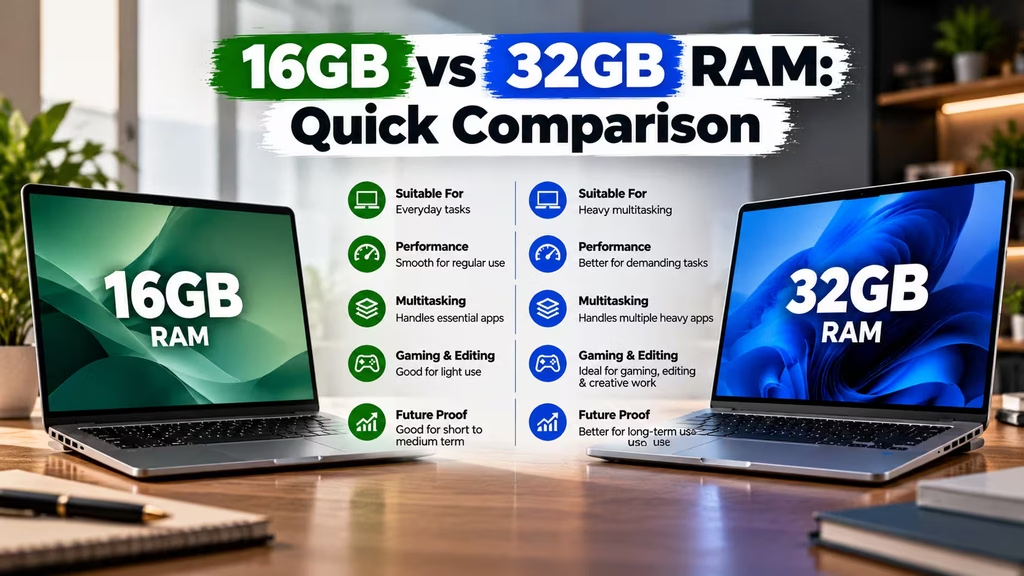
| Use Case | 16GB RAM | 32GB RAM |
|---|---|---|
| Web browsing | Excellent | More than enough |
| Office work | Excellent | More than enough |
| Gaming | Good | Excellent |
| Gaming + streaming | Good | Better |
| 1080p editing | Good | Excellent |
| 4K editing | Usable | Better |
| Photo editing | Good | Better for large projects |
| Heavy multitasking | Moderate | Excellent |
| Virtual machines | Limited | Better |
| Budget builds | Better value | Higher cost |
| Future headroom | Good | Better |
Frequently Asked Questions
Is 16GB RAM enough for gaming?
Yes. 16GB remains suitable for many games and general gaming systems. Actual requirements depend on the game, operating system, background applications, and overall PC configuration.
Is 32GB RAM better than 16GB for gaming?
32GB provides more memory headroom. It is especially useful when gaming alongside streaming, recording, browsers, communication apps, and other background software.
Does 32GB RAM increase FPS?
Not necessarily. If 16GB is already sufficient for a game, moving to 32GB may produce little change in average FPS. More RAM becomes useful when the system is running short of available memory.
Is 16GB enough for video editing?
16GB can handle many basic editing projects, particularly 1080p work. Larger projects, high-resolution footage, and demanding effects can benefit from 32GB or more.
Is 32GB RAM enough for 4K video editing?
32GB is a strong starting point for many 4K editing workflows. Very complex projects and professional workloads may benefit from additional memory.
Is 32GB RAM worth it for streaming?
Yes, especially if you stream while gaming and run several applications at the same time. The additional memory provides more room for multitasking.
Can I upgrade from 16GB to 32GB RAM later?
Often, yes. However, upgrade options depend on the motherboard or laptop design. Check the available slots, maximum supported capacity, and compatible memory type before purchasing.
Is DDR5 RAM better than DDR4?
DDR5 is a newer memory standard with higher potential bandwidth and newer platform support. However, you need a compatible motherboard and processor platform to use it.
Final Verdict
The 16GB vs 32GB RAM decision should be based on your actual workload.
For everyday computing and many gaming systems, 16GB remains a practical and cost-effective choice. It can provide enough memory for gaming, browsing, office work, and general productivity.
However, 32GB is the better choice for demanding multitasking, gaming with streaming, content creation, large photo projects, and regular 4K video editing.
If you are upgrading your RAM, check your motherboard or laptop specifications before buying. Confirm the DDR generation, memory type, supported capacity, and available slots.
You can explore compatible RAM and memory options from Vision IT when you are ready to upgrade.
After a hardware upgrade or fresh Windows installation, you may also need a genuine operating system license. You can check for genuine Microsoft Windows Licenses for your system.
