

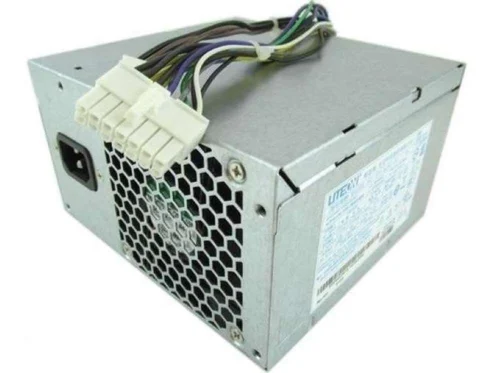
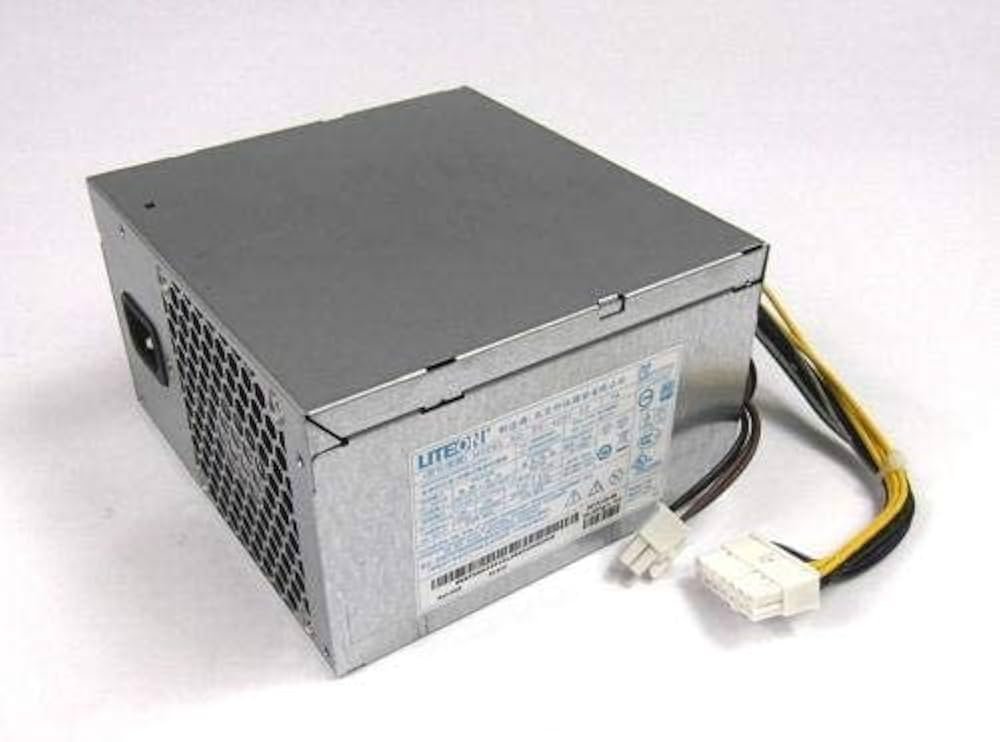
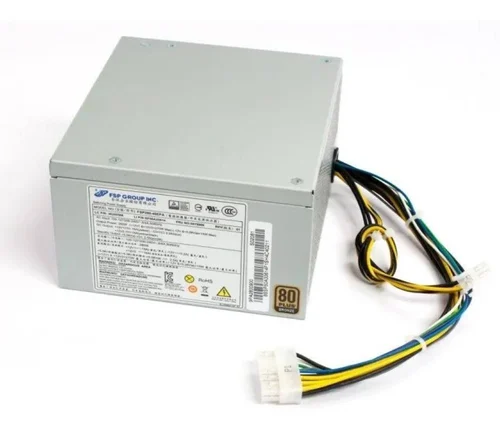
Power Supply for Lenovo ThinkStation E32 Series
The Lenovo ThinkStation E32 SMPS is a replacement power supply designed for compatible Lenovo ThinkStation E32 workstations used in offices, studios, engineering environments, technical departments, and professional computing setups. It provides electrical power to the workstation’s internal components and can help maintain stable operation when the existing PSU becomes faulty, damaged, or unreliable. Moreover, a suitable replacement can help businesses and professionals continue using their existing workstation when the remaining hardware still meets their requirements.
This power supply can suit compatible tower and small form factor configurations, depending on the original system design. Before ordering, however, compare the original PSU part number, connectors, physical dimensions, mounting arrangement, cable configuration, and workstation model. In addition, check the installed processor, graphics hardware, storage devices, and other components to confirm that the replacement matches your specific ThinkStation E32 setup.
Lenovo ThinkStation E32 SMPS Specifications
| Specification | Details |
|---|---|
| Product | Lenovo ThinkStation E32 Power Supply |
| Compatible System | Lenovo ThinkStation E32 Series |
| Product Type | Replacement SMPS / Power Supply |
| Application | Professional Workstation Power |
| Form Factor | Compatible Tower / SFF Configurations |
| Primary Purpose | Power Delivery to Compatible Hardware |
| Installation | Configuration Dependent |
| Suitable For | Business and Professional Workloads |
Lenovo ThinkStation E32 SMPS for Professional Workstations
The Lenovo ThinkStation E32 SMPS helps supply power to compatible workstation components such as the processor, memory, storage devices, graphics hardware, cooling system, and expansion components. Therefore, selecting a suitable PSU is an important part of maintaining the complete workstation.
For example, businesses may use the ThinkStation E32 for engineering applications, professional software, coding, documentation, design work, and multitasking. Consequently, replacing a faulty power supply can help keep a useful workstation in service when other hardware remains functional.
Power Supply for Tower and SFF Configurations
The supplied product information indicates compatibility with tower and SFF versions of the ThinkStation E32. However, physical compatibility can vary between system configurations. Therefore, users should compare the original power supply, chassis layout, connectors, mounting points, and dimensions before ordering.
In addition, checking the original PSU label can help identify the correct replacement. This is especially important when maintaining older workstation hardware with configuration-specific components.
Stable Power for Everyday and Professional Workloads
A suitable power supply helps deliver electrical power to the workstation’s installed components. Moreover, stable power delivery supports normal operation during everyday office tasks as well as longer professional workloads.
Users working with design software, coding environments, technical applications, or multiple programs can benefit from maintaining suitable internal hardware. However, power-related symptoms such as shutdowns or startup failures can result from different causes, so proper diagnosis remains important.
Cooling and Workstation Maintenance
Power supplies generate heat during operation. Therefore, adequate ventilation around the workstation can help maintain suitable operating conditions. Users should keep air vents clear and remove dust during routine maintenance.
Furthermore, the cooling fan inside the PSU helps manage heat generated during operation. Actual noise and thermal performance can vary according to the power supply, workstation configuration, ambient conditions, and workload.
Easy Replacement and Compatibility Checks
Replacing a compatible power supply can provide a practical maintenance solution when the original unit no longer works correctly. Before installation, compare the replacement with the existing PSU to verify the connectors, dimensions, mounting arrangement, and cable configuration.
Always disconnect the workstation from the electrical supply before servicing internal components. If installation requires technical expertise, a qualified technician should perform the replacement.
Maintain Your Existing ThinkStation E32
Businesses and IT teams can evaluate a workstation before replacing the complete system. If the processor, RAM, storage, graphics hardware, and chassis remain suitable, replacing the failed PSU can help extend the practical use of the existing computer.
This approach can benefit offices, technical departments, educational environments, studios, and other organizations maintaining compatible Lenovo workstations.
Buy Lenovo ThinkStation E32 SMPS in India
Businesses, professionals, IT technicians, and system administrators can contact VisionIT Peripherals for availability, pricing, compatibility assistance, and warranty information. Moreover, customers can share the original PSU part number and system configuration before ordering.
For bulk requirements, organizations can also discuss quantities and deployment needs with the VisionIT Peripherals team. Providing accurate hardware information can help reduce compatibility issues.
Why Choose VisionIT Peripherals?
VisionIT Peripherals supplies power supplies, workstations, desktops, laptops, RAM, SSDs, HDDs, motherboards, monitors, and other IT components. Therefore, customers can source hardware for business and professional computing requirements.
As a Microsoft Authorized Refurbisher, VisionIT Peripherals also supports organizations with genuine Microsoft software licensing requirements.
We Also Sell
- SMPS for HP, Dell & Lenovo
- SSD & HDD Storage
- RAM & Memory
- Workstations & Servers
- Branded Motherboards
- Pre-Owned Desktops
- Genuine Microsoft Windows Licenses
Frequently Asked Questions About Lenovo ThinkStation E32 SMPS
What is the Lenovo ThinkStation E32 SMPS?
The Lenovo ThinkStation E32 SMPS is a replacement power supply for compatible ThinkStation E32 workstation configurations. It provides electrical power to the system’s internal components.
Is it compatible with tower and SFF systems?
The supplied information indicates compatibility with tower and SFF configurations. However, users should compare the original PSU and chassis specifications before ordering.
How do I check compatibility?
Compare the original PSU part number, connectors, dimensions, mounting arrangement, cable configuration, and complete workstation model before purchasing.
Can a faulty PSU cause workstation problems?
A failing power supply can contribute to startup issues, shutdowns, or unstable operation. However, other components can produce similar symptoms, so proper diagnosis is recommended.
Who should install the power supply?
A qualified technician or experienced IT professional should handle internal PSU installation when technical servicing is required. Always disconnect the workstation from electrical power before opening the system.
Order Lenovo ThinkStation E32 SMPS
Choose the Lenovo ThinkStation E32 SMPS when a compatible ThinkStation E32 workstation requires a replacement power supply. Verify the original PSU details and complete system configuration before ordering, then contact VisionIT Peripherals for availability, pricing, warranty information, and compatibility assistance.






Reviews
There are no reviews yet.